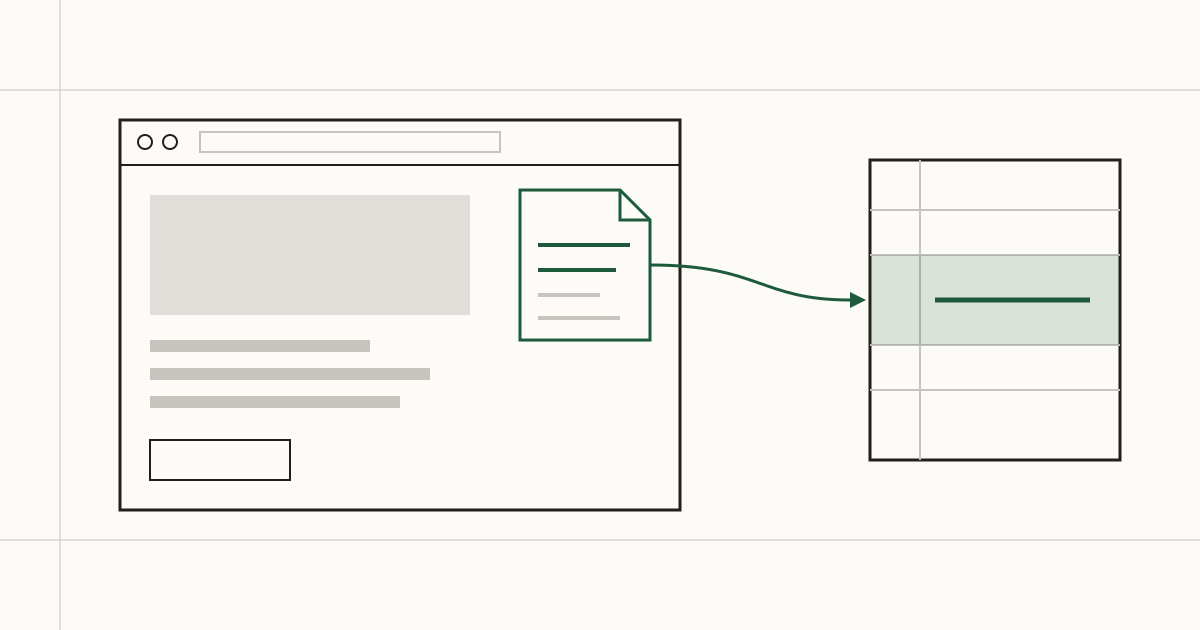
Picture someone looking round a dental practice's website on a Sunday evening. They spot a backup file anyone can download, and it has patient names in it. They'd like to tell somebody. The site offers a booking form and a phone number that rings out until Monday morning. So they close the tab, and the file stays where it is.
That's the gap a security.txt file fills. Cents Security looks for it on every scan, and we'll be straight about how much it matters for a small business: a little, for very little work.
What security.txt is
It's a plain text file at one fixed address on your site: yourwebsite.co.uk/.well-known/security.txt. The well-known folder is where tools already look for standard files, so a stranger doesn't have to guess where yours lives.
The file answers one question. If you've found a security problem on this site, who do you tell? It follows a published standard, RFC 9116, which means anyone who reports problems regularly knows to try that address before anything else. There's nothing to install and nothing to pay for each month. It's a few lines of text a web developer can upload in a couple of minutes.
What happens without one
Usually, nothing you'd notice, and you only learn about it once someone else has.
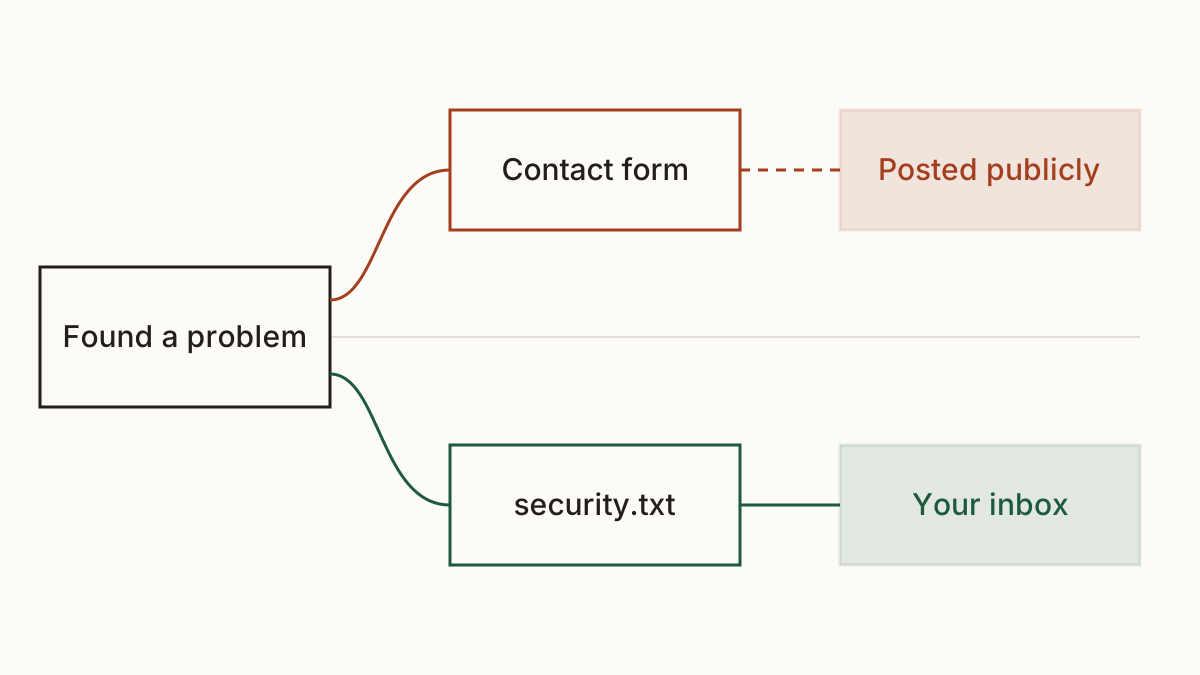
The person who finds an exposed file or a broken login on your site isn't always an attacker. Often it's a researcher or another business owner who got curious. Without a clear contact, they try your general contact form and wonder whether the receptionist will ever pass it on. Most give up there. A few post the issue publicly, sometimes to get an answer and sometimes to warn other people, and then anyone who wants to misuse it knows before you do.
We see this most with files left in public by mistake: an old backup left next to the live site, or a settings file with a password in it. The finder knew about it first and had no sensible way to hand it over.
What goes in it
Two lines are required. Contact says how to reach you, usually as an email written as a mailto link. Expires is a date after which the reader should treat the file as out of date. The standard asks you to keep that date less than a year ahead, so somebody has to look at the file again.
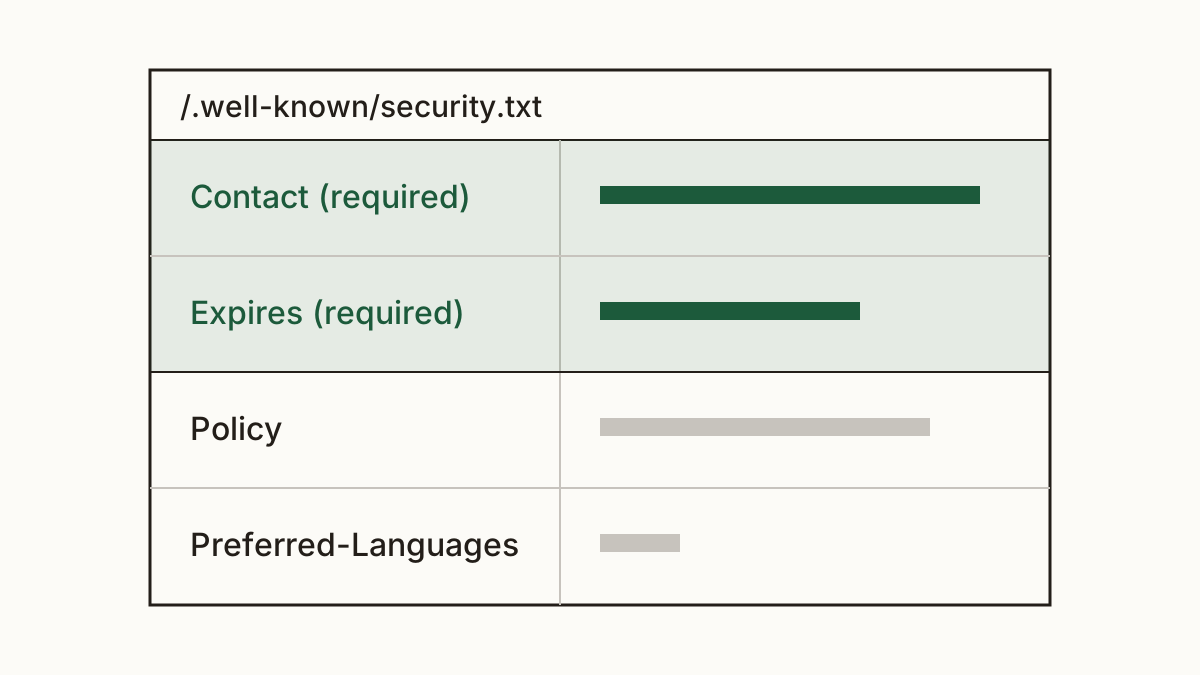
Two optional lines are worth adding for most small sites. Policy links to a page that says how you handle reports. Preferred-Languages tells the finder which language to write in. Here's a made-up example for example.com:
Contact: mailto:security@example.com
Expires: 2027-11-01T00:00:00Z
Preferred-Languages: en
Policy: https://example.com/security-policy
That's the whole file. Four lines, and half of them are optional.
Does a small business need one?
Our honest answer is that it helps, it's cheap, and it won't change your month. When we find the file missing, we report it as a note with no money on it. We'd rather not invent a loss figure for something that hasn't happened to you.
The benefit is real, though. The NCSC, the UK's National Cyber Security Centre, recommends that organisations make it easy for people to report vulnerabilities, and this file is the plainest way to do that on a website. Think of an accounting firm holding client records. The day someone finds a security problem there is the day you'll want their email in your inbox rather than on a forum.
So we'd add it. Fix the problems that cost you money first, then spend ten minutes on this.
How to add it
The person who built or looks after your site uploads the file. On most hosting that means creating the .well-known folder in the site's main directory, if it isn't there already, and putting a text file inside it. On WordPress, several plugins write the file for you from a settings screen, which suits owners who've never used FTP.
You can check whether your site has a security.txt in our list of checks. Once the file is up, run a scan again to confirm it's served at the right address and reads as text.
The part people forget is the Expires date. Put a reminder in your calendar a month before it, and move the date forward when the reminder comes up. A file that expired last spring tells a finder that nobody's reading it.
What to do when a report arrives
Thank them in writing, the same day if you can. Then check what they've described, ideally with your web developer, and fix it. Tell them when it's done. Most finders only want to know it was taken seriously.
Don't threaten them. A solicitor's letter to someone who reported a problem in good faith tends to end up on social media, and it teaches the next finder to post publicly instead of writing to you. If you'd like a template for handling reports, the NCSC publishes a vulnerability disclosure toolkit written for organisations without a security team of their own.
FAQ
Will security.txt attract attackers?
No. The file holds a contact address and a date, nothing about how your site is built. Attackers scan for weaknesses whether it's there or not, so it tells them nothing they'd use.
Which email address should I put in it?
One that a real person reads every week and that won't change when staff do. A security@ address on your own domain that forwards to the owner works well. If the email bounces, the file is worse than having none.
Do I have to pay people who report problems?
No, you don't. Paid bug bounties are run by large companies with a budget and a team to manage them. From a small business, a thank-you and a prompt fix is what most finders expect.
Check your website at https://www.cents-security.com/ and see what each problem on it costs you.