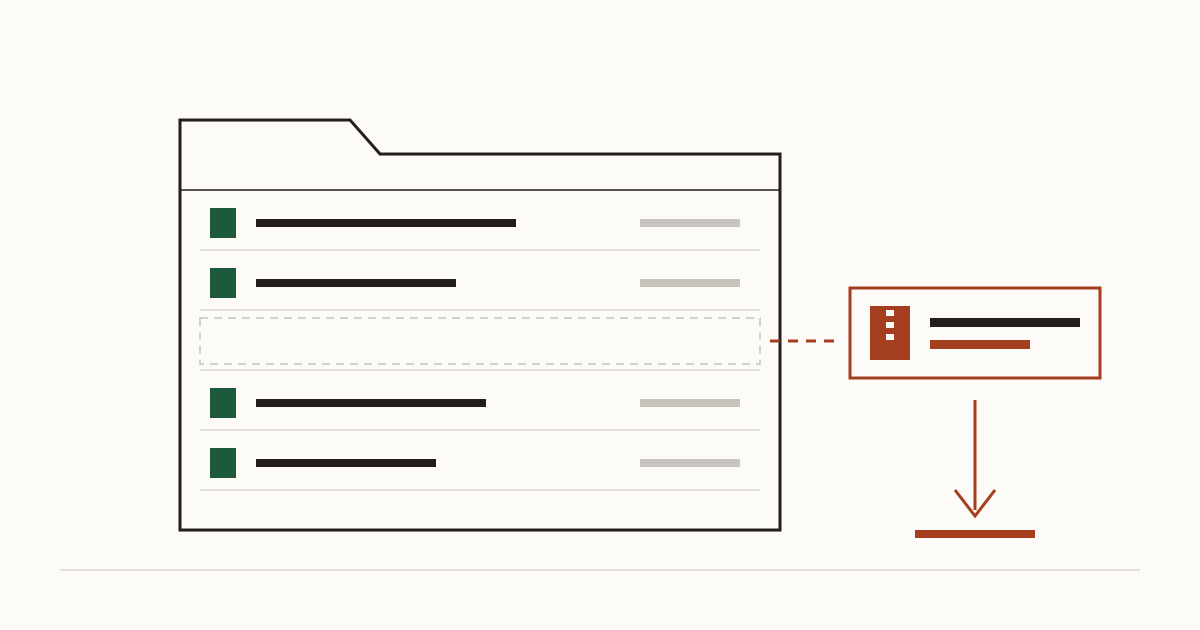
Your developer is about to start the redesign. Before touching anything, they zip the whole site into site-old.zip, which is a sensible precaution, and leave it in the same folder as the homepage so it's handy. The redesign goes live. The zip stays. Anyone who types your address followed by /site-old.zip now gets a copy of everything, passwords included.
We find files like this on small business sites often enough that we check for them on every scan. It's rarely anyone's fault in a dramatic sense, because tidying the server after a project is a job nobody was given.
How a private file ends up public
A web server hands out whatever sits in the site's public folder. It doesn't ask whether a page links to the file, and nobody needs a link to find it. If a file has a name, it has an address.
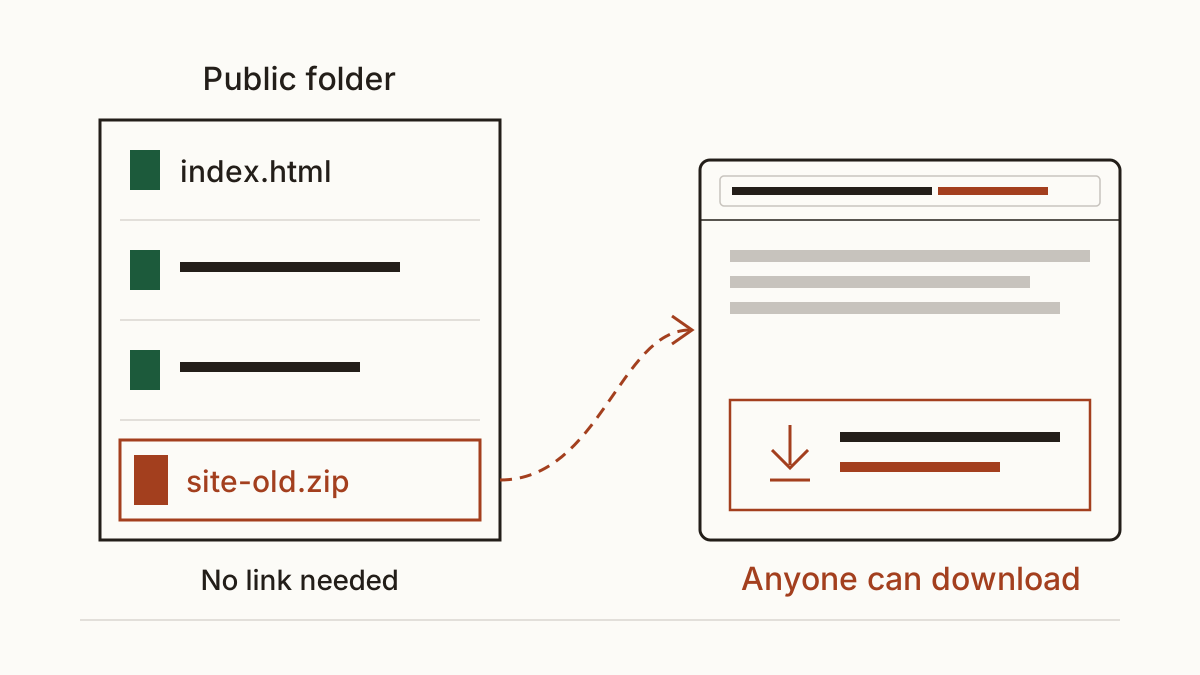
That's the part owners find hard to believe. "Nobody knows it's there" feels like protection. It isn't. Bots try the common names on every site they can reach, around the clock, and the common names are very common: backup.zip, old.zip, or your domain name with .sql on the end. A wrong guess costs them nothing, and a right one hands them the lot.
The files that leak most often
Backups and old copies of the site
A backup file left next to the live site is the classic case. Hosting control panels and some plugins create them with predictable names. Developers make their own before big changes, and old copies pile up with names like site-2 or new-site-final. Our rule of thumb: a backup belongs off the web server entirely, in storage only you and your developer can open.
The .env file and other settings files
Modern sites keep their secrets in a settings file. That's where the database password lives, along with the keys for your payment provider. On many frameworks it's a .env file in the site's root. Set up correctly, the server never serves it. Set up in a hurry, or copied to the wrong folder during a move, it downloads like any other file, and whoever has it holds your credentials.
Database exports
A file ending in .sql is a copy of the database. For a shop, that means the customer list with home addresses. For a clinic, it can mean appointment notes. Developers export one to move a site between hosts, then forget the copy left behind on the old one.
Folder listings that show everything at once
Some servers print a list of every file in a folder that has no homepage of its own. Nobody has to guess names at all. Picture an uploads folder with three years of invoices in it, laid out like a shop window, and any passer-by free to take one.
What a leaked file costs you
The cost depends on what's inside, so we price it by contents rather than by file type. A settings file with a payment key can mean refunds issued in your name until the key is changed. A database export with customer records is a breach you have to assess, and depending on the risk to those people, a report to the ICO and letters to customers.
Most of the bill is hours. Your developer changes every password the file held. Someone works out whose data was in it, and you answer worried customers on the phone. For a small site, we'd expect roughly one to two days of a developer's time for the clean-up, and more when customers have to be told. We don't ask you to take that on faith: every figure in a report shows its inputs, and you can read the assumptions behind each figure, with their sources.
How to check your own site
Start with a question to your developer or hosting company: "Can you send me a list of everything in the site's public folder, and tell me which files the site doesn't need?" A good developer answers that within the day and won't be offended by it.
Then look from the outside, the way a bot does. Our scan tries the usual backup and settings names and checks whether folders list their contents. It tells you what it found and what each finding costs you a month. It doesn't log in or change anything on your site. You can read every check we run in plain words, grouped by who would find the problem first.
Who removes it, and what to send them
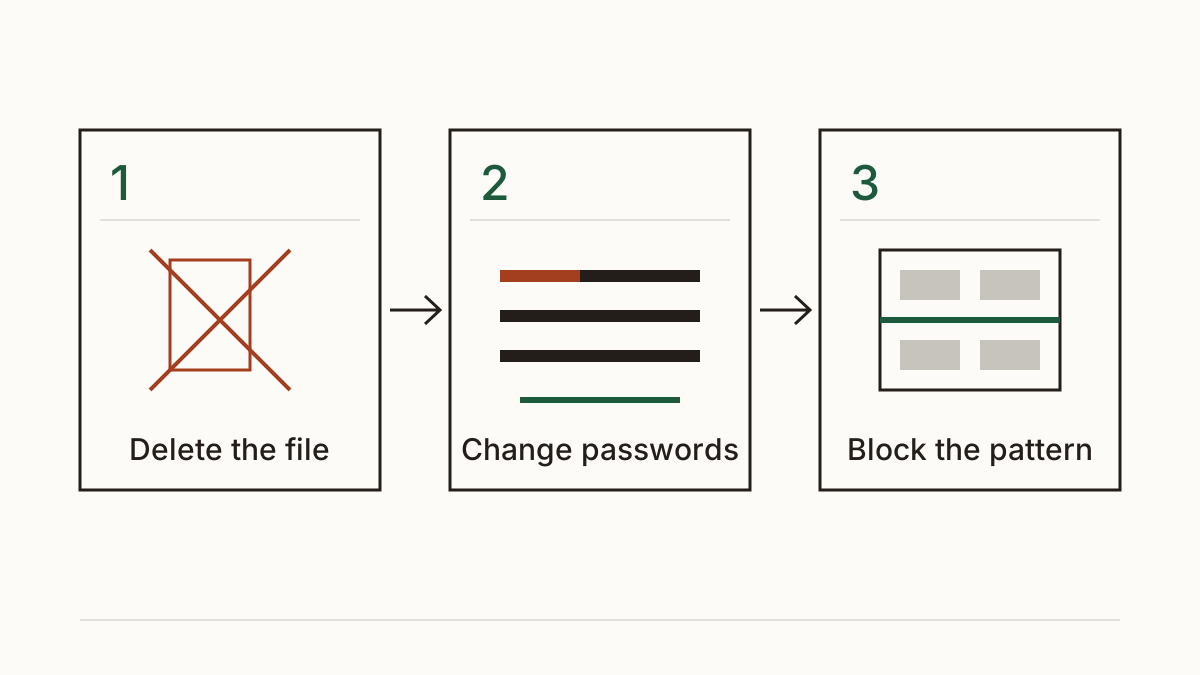
Your developer or host does this, and it's usually quick. First, they delete the file from the server; moving it to another public folder doesn't count. Next, they change every password and key it held, because you have to assume someone already has a copy. Finally, they block the pattern, so the server refuses to hand out a backup file or a settings file even if one turns up again next year.
A message you can forward as it stands: "Our website has a file anyone can download at [address]. Please delete it, change every password and key it contained, and set the server to refuse backup and settings files from now on. Can you tell me when it's done?"
FAQ
My site is on a website builder. Can this still happen?
Less often, but yes. Builders run the server for you, so a stray backup file of the whole site is unlikely. Files you upload yourself, like a price list or an exported form, still get a public address, so treat anything you upload as readable by anyone who has the link.
Do I have to tell the ICO if customer data was in the file?
Possibly, and the clock starts when you find out. Under UK GDPR, a breach that's likely to put people at risk has to be reported within 72 hours. Whether yours counts depends on what was exposed and for how long, so check the current guidance on the ICO's website before you decide.
Check your website with us at www.cents-security.com and see what each problem on it costs you a month.