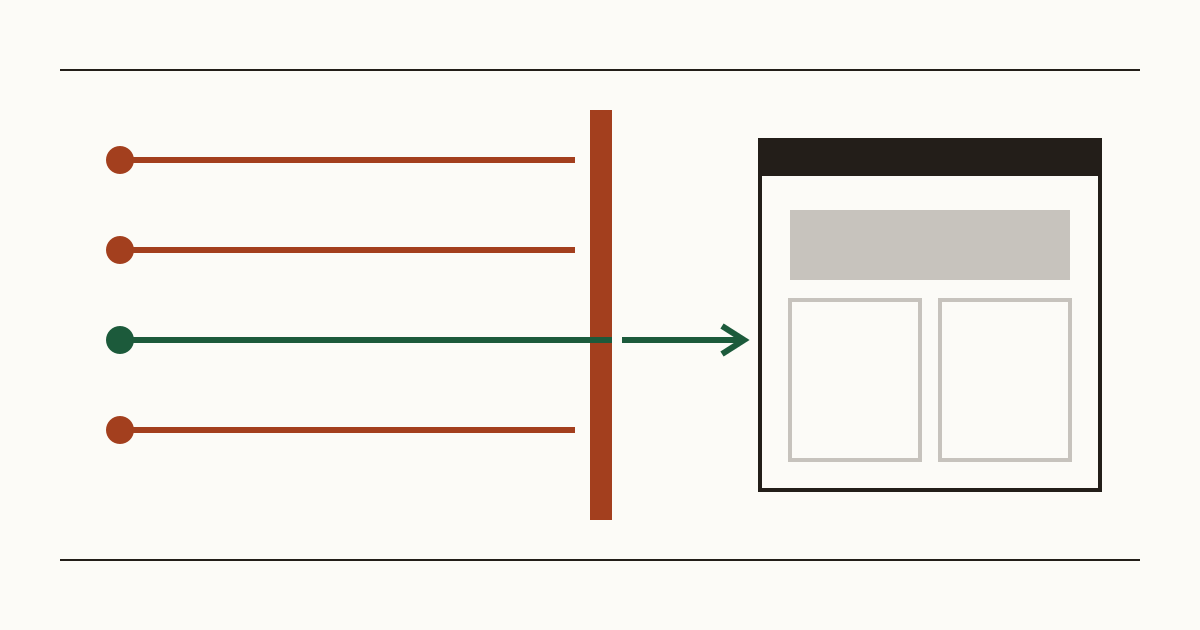
A customer rings to book a table and mentions, almost in passing, that your website showed them a red page telling them to go back. You open it at home. It loads fine, menu and all. So you shrug it off, until a second person says the same thing, and a third says the link didn't open at all from their office. We're Cents Security, and when we check a site from the outside, this is one of the first things we look at. Few problems cost an owner so many visitors while staying this invisible to the owner.
Two kinds of blocklist, and what each one does to your visitors
The first is Google Safe Browsing. Chrome checks it before it opens a page. Safari and Firefox use it too. If your address is on it, a visitor gets a full-page red warning saying the site may harm their computer or try to steal their details. There's a small link to carry on anyway. Almost nobody clicks it, and we wouldn't either. Picture a clinic whose booking page sits behind that warning: the patient doesn't call to ask, they book with the next practice on the list.
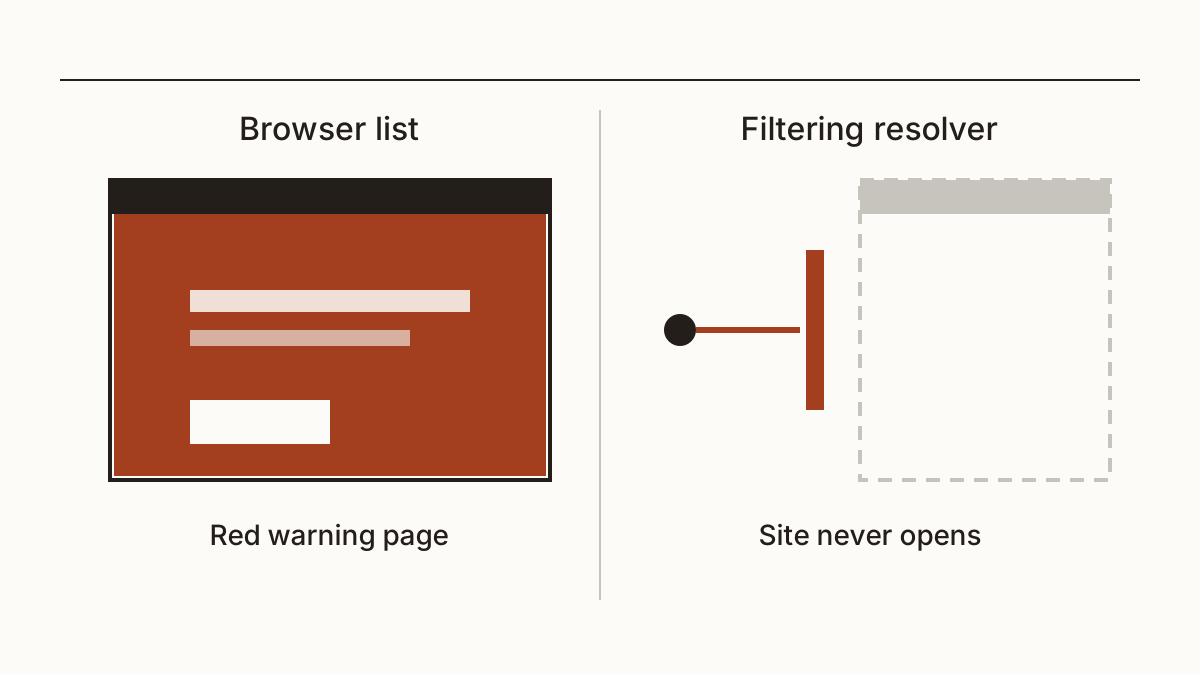
Filtering resolvers are quieter. A filtering resolver such as Quad9 sits at the step where a device looks up your address, and it refuses to answer for names it considers dangerous. Offices use them, and so do schools. Plenty of home routers have one switched on under a "security" or "family" setting. Nobody behind one sees a warning from you. Your site doesn't open. The browser says it can't find the server, and they assume you've gone out of business.
Why you are usually the last to know
Your own network almost never filters. Your browser remembers you, too: it has your pages cached, and you may have clicked past a warning once without thinking. So the owner hears last, usually from a stranger.
The people who do hit the wall are customers on a work laptop at lunchtime, or a parent on the school's guest wifi at pick-up. Most of them don't write in. They close the tab and book somewhere else, and you never see the enquiry that didn't arrive.
How sites end up on one
It's rarely a mistake. In most cases we see, the site was a hacked site at some point. Somebody got in through an old plugin that hadn't been updated, or through a neighbour on a cheap shared host. Then they left something behind. Often it's a page that serves malware or a fake bank login tucked in a folder nobody opens. Sometimes it's a redirect that sends only phone visitors elsewhere.
The owner usually can't see any of it. The homepage looks normal, and the bad page isn't in any menu. Google's crawler finds it anyway, and the whole domain can get flagged. Out-of-date software is one of the things we look for among the checks we run on every site, because it's the usual way in.
How to check yours
For Google's list, paste your address into the Safe Browsing site status page on Google's Transparency Report. It tells you whether Google currently considers the site unsafe, and sometimes what kind of problem it saw.
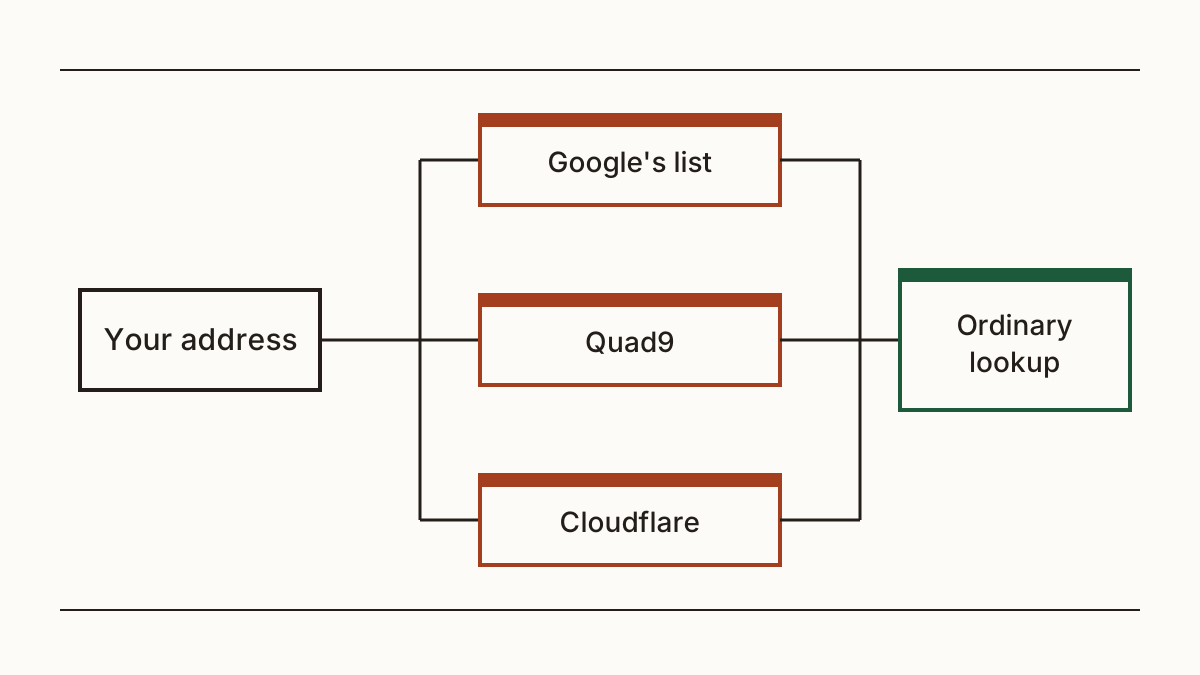
The filters are harder to test by hand, since you'd need to change your own network settings to see what a school sees. Our scan does it for you: you can check whether browsers or filters block your site without an account. We ask Google's list and two filtering resolvers, Quad9 and Cloudflare's malware-blocking one. Each answer is compared with an ordinary lookup. A filter that doesn't reply is never counted as a clean result, so a quiet answer doesn't mean you're off the blocklist. And if you look after a dozen client sites, it's worth running every one of them, not only the one that got a complaint.
How to get off the list
Clean the site first. Asking for a review while the bad page is still there gets refused, and that wastes time you don't have. Then find how they got in and close it. A site cleaned without fixing the hole is often hacked again the same way, and a repeat listing is harder to shake off.
Once it's clean, open the security issues report in Search Console, where Google lists what it found and on which pages. Send a review request with a short note of what you removed and what you fixed. Each filter runs its own form: Quad9 has a false positive form on its site, and Cloudflare has its own. We won't promise you a timescale for any of them, because none of them publishes one we'd stake a figure on.
Who does what
The cleanup belongs to the person who built or hosts the site. It's their server and their logins, and they can see the files you can't. You own the Google account, though, and the review request has to come from a verified owner of the site, so expect to be asked to log in and click a button or two.
Here's a message you can forward: "Our site is listed as unsafe by Google and a security filter. Please find and remove whatever caused it, close the way in, and tell me when it's done so I can ask for a review."
FAQ
My site opens fine for me. Can it still be blocked?
Yes, and that's the usual case. Your browser and your home network treat you differently from a stranger on an office network. Check from the outside rather than trusting your own screen.
How long does a review take?
It varies, and we can't give you a sourced figure. Each list works to its own timetable, and a rejected request puts you back at the start. A clean site with the way in closed is the fastest route through all of them.
Will being blocked hurt my place on Google?
It can. Google can show a warning next to a flagged site in its own results, and few people click past one. Once the review clears, the warning goes and visitors start arriving again.
Check your website and see what each problem on it costs you at https://www.cents-security.com/.