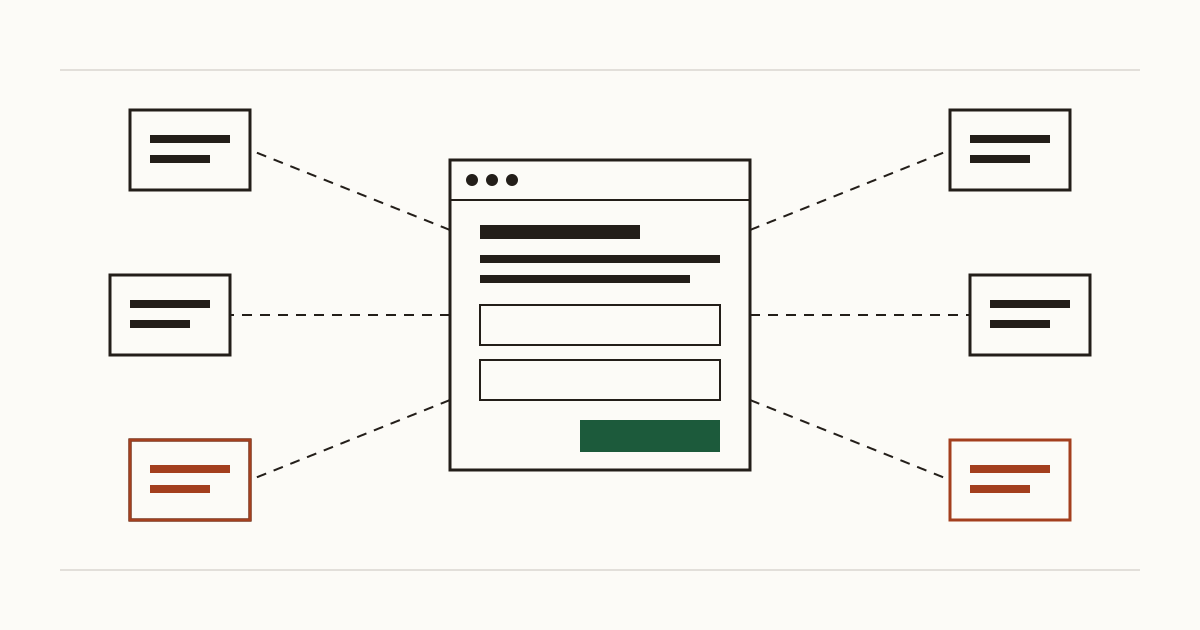
Picture a dental practice whose website is five years old. In the first year somebody added a booking widget. The next year brought a review badge. After that came a chat box the receptionist never answered, and later an ad pixel from a campaign that ended long ago. Nothing was ever taken off. Today the home page pulls in code from eight different companies, and nobody at the practice can say what three of them are for. We're Cents Security: we scan business websites from the outside and price each problem we find in money lost a month. A drawer full of forgotten scripts is something we find on a lot of small sites.
What a third-party script is, in plain words
Your page is a set of instructions that the visitor's browser follows. Some of those instructions say "now go to another company's server, fetch this code and run it". The code it fetches is what people mean by third-party scripts.
Owners rarely expect what happens next. Once that code runs, the browser treats it as part of your page, with the same rights as anything your developer wrote. There's no fence between your bit and their bit. So each script is a company you've trusted with the whole page, whether or not anyone read their terms when the line went in.
What one script can see and change
Because it runs inside your page, a script can read what's on the screen and what visitors type. Think of the enquiry form, or the card number someone enters at the checkout.
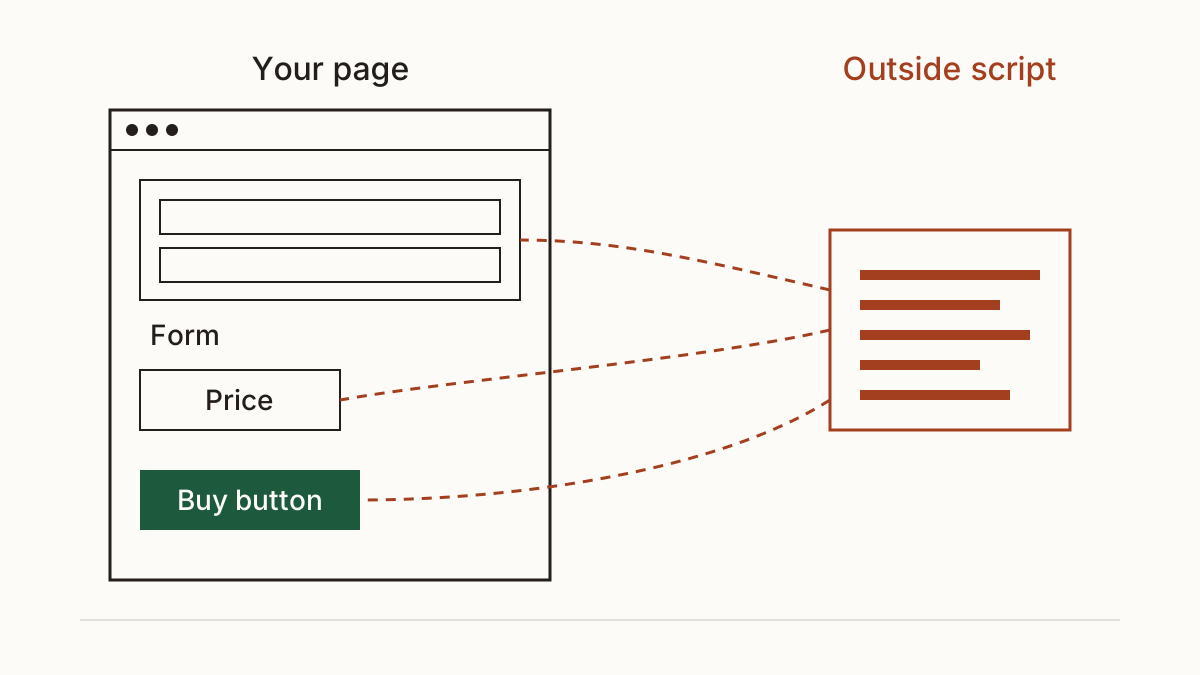
It can change the page as well. A script could rewrite a price, or point the buy button at a different address. We're not saying this to frighten anyone. The big analytics and payment providers don't behave like that, and they have every reason not to. But the browser won't stop a script that does. So our first question is never "is this script bad?" It's who controls that code today, and whether you'd notice if it changed overnight.
The three ways they cost you
A slower page
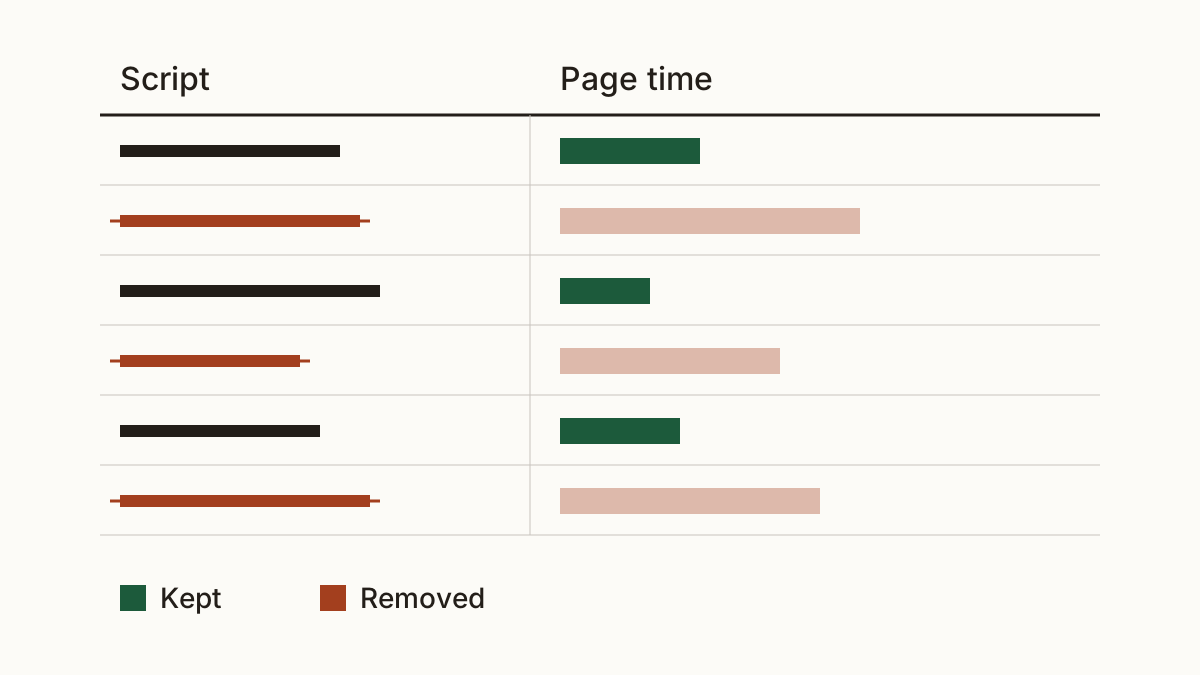
Third-party scripts each add another trip to another server before your page settles. One or two barely register. A dozen, a few of them heavy, and a customer on a phone with a weak signal stares at a half-drawn page while the chat box loads. People in that spot don't wait politely, they go back to the search results. We've covered what a slow website costs in bookings in our piece on a slow website. On the small sites we scan, outside code is often a large share of the speed problem.
A script whose owner went away
This is the quiet one. A small company makes a widget and your site loads it from their domain. Then the company folds and the domain lapses. Anyone can buy a lapsed domain, and whoever buys it can serve whatever code they like at that address. Your page still asks for it, and every visitor's browser still runs it. We flag script addresses on domains that no longer answer or are back on the market. The fix costs nothing if it happens before someone else buys the name: take the line out.
Data sent somewhere you did not list
A tracking pixel from an ad platform reports each visit back to that platform, and on a shop it often reports what was bought too. If your privacy notice doesn't name it, or it fires before the visitor has agreed, that's a gap the ICO's guidance on cookies and similar technologies covers. Check the current guidance rather than taking our summary as the rule. We won't put a fine on this. The realistic cost is a complaint, or a letter from somebody's solicitor, and the hours you spend answering it.
How to count yours
You can see the list yourself in about five minutes. Open your site in Chrome and press F12. Pick the Network tab, then reload the page. Every row whose address isn't your own domain is an outside request, and the rows marked "script" are code that runs.
A scan does the same job without the developer tools. Ours lists your third-party scripts with the company behind each one, and you can read every check we run to see what else we look at. Either way, write the result down: the script, who added it and why. Then mark whether that reason still holds. The "who added it" column is where most of the forgotten ones surface, usually as a former agency or a plugin nobody remembers installing.
Trim the list without breaking the site
Start by removing what has no job left. A chat widget nobody answers goes, and so does a pixel from a finished campaign. On WordPress that's often deactivating a plugin, which you can do yourself from the dashboard. On a site someone built for you, ask your developer to take the line out.
Next, replace what's heavy. Fonts are the usual example: hosted on your own server, they stop costing a trip to someone else's. That's a job for your agency or developer, and it's usually a short one.
Last, load a script only where it's needed. The booking widget belongs on the booking page, not on every page of the site. Ask for it by name, then test the form and the checkout afterwards. And keep a note of what was removed, so it can go back quickly if something you relied on stops working.
FAQ
Is Google Analytics a third-party script?
Yes. It loads from Google's servers, runs inside your page and sends visit data back to Google. That doesn't make it a problem on its own, but it belongs on your list and in your privacy notice like any other.
How many scripts is too many?
There's no magic number. We'd rather see three scripts that each earn their place than eight where nobody can explain half of them. Our rule of thumb: if no one can name the job a script does, it comes off.
Check your website with us at www.cents-security.com and see what each outside script, and every other problem we find, costs you a month.