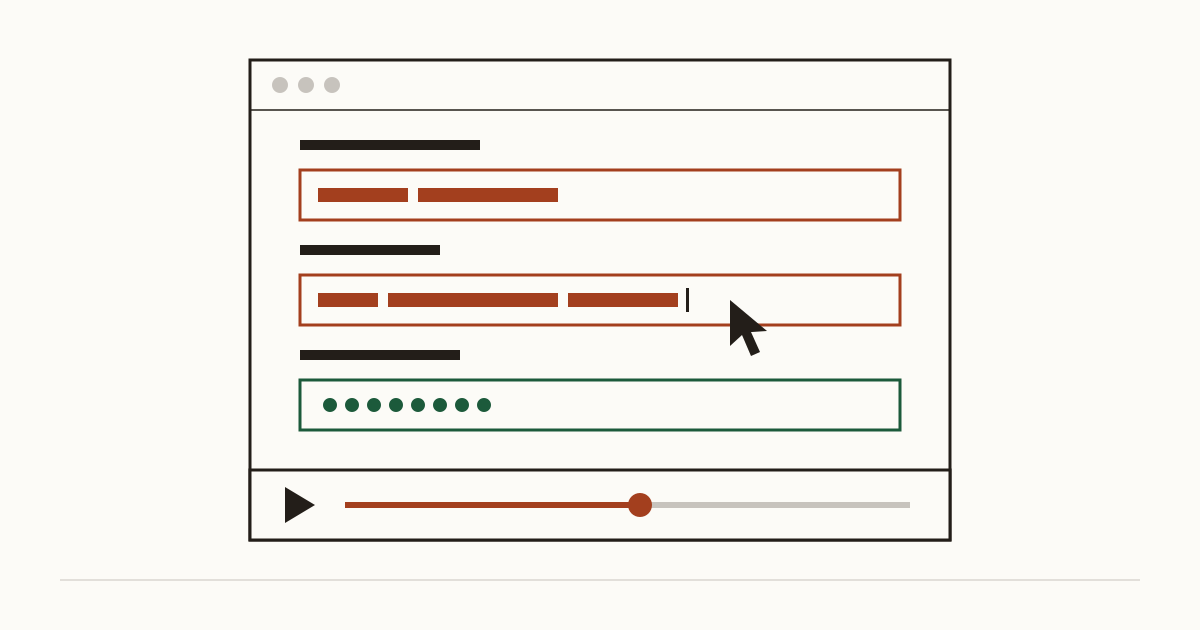
You open the analytics dashboard your agency set up and click on a visit from this morning. A cursor moves across your booking page. Then, letter by letter, a customer types their name and home address into your form, and you watch every keystroke. It's oddly gripping. Then a less comfortable thought arrives: if you can see this, who else can, and did that customer ever agree to it?
What a session replay tool records
A session replay script sits on your pages and writes down what each visitor does. It logs every click and how far they scroll, and it follows the mouse as it wanders. The tool then stitches those notes back together. On your dashboard it plays like a film of their screen.
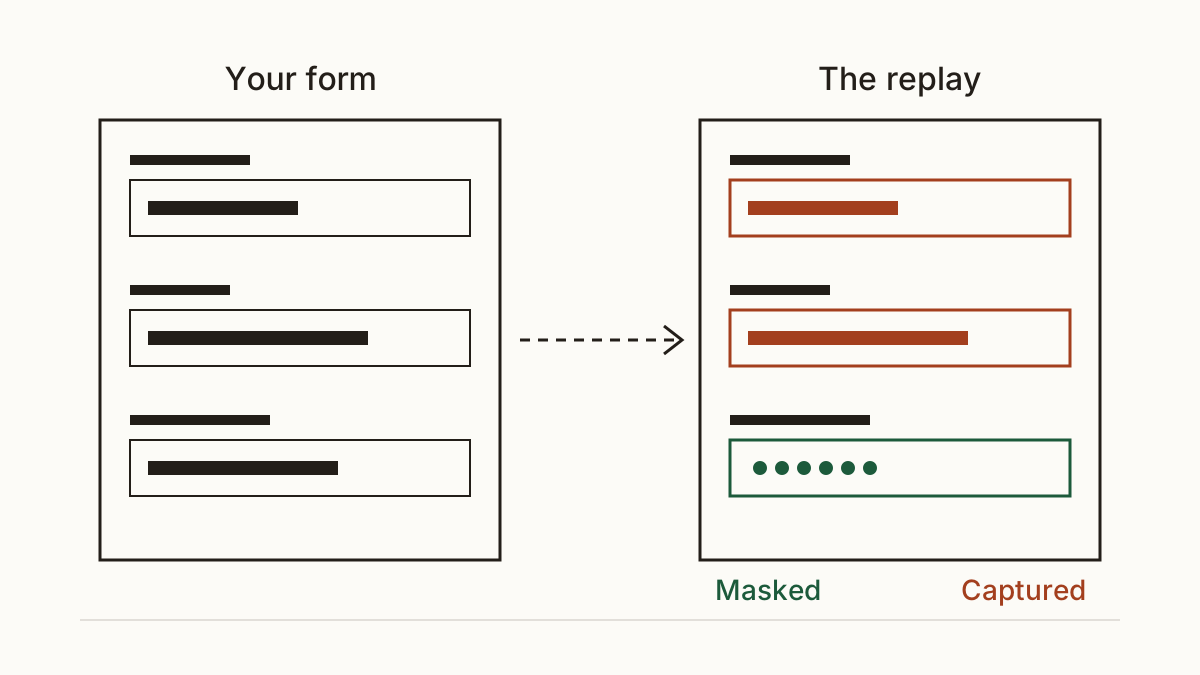
The part that catches owners out is the form. Unless a field is set to mask its contents, many tools capture what people type, sometimes even what they type and then delete before pressing send. Most mask password and card details fields by default. A home address usually isn't covered by that default, and neither is the free-text box where a patient describes their symptoms.
Why you might have one without knowing
Most owners we talk to didn't choose a replay tool. Often an agency added it to see why people left the checkout, and nobody mentioned it at handover. Sometimes a heatmap plugin offers recording in its settings as a bonus and it got ticked on install. An analytics product you already pay for can add replays in an update, too.
So "I'd know if we had one" isn't a safe assumption. The script loads with nothing visible on the page. And the person who added it may have left the agency years ago.
When recording becomes a legal problem
What a customer types into your form is personal data the moment it identifies them, and the recording of it is processing under UK GDPR. That brings duties with it. You need a lawful reason to collect it, and you're meant to take no more than the job needs. A tool that captures a full address to work out why someone abandoned the form is collecting far more than that question needs.
The cookie rules apply as well. A replay script stores and reads data on the visitor's device, and the ICO's guidance says the analytics exception can't be used to track individual visitors, which is exactly what a replay does. So in our reading it waits for consent before it starts, through your cookie banner. If you're unsure where your site stands, our piece on do I need a cookie banner walks through the February 2026 changes. Your privacy policy should name the tool, too. We don't give legal advice: check the ICO's current guidance on storage and access technologies, or ask a solicitor.
What it costs you
We won't put a fine on this, because the ICO decides those case by case and we can't honestly predict one for your site. The costs we can estimate are smaller and more certain.
Time comes first. A customer who spots the tool can send a subject access request, and you have one month to answer it, replays included. For a small business that usually means somewhere between half a day and three days of someone's time, depending on how many systems hold that person's data. Multiply by your hourly rate and you have a real figure.
Then there's trust. A clinic patient who learns their symptoms were recorded doesn't book again, and they tell people. On our scans we price that as a share of the visitors who reach your form, with the assumptions shown on the page, so you can change them if your numbers differ.
How to find out and what to change
You don't need to be a developer for the first step, and the fixes are usually an hour of someone's time, not a rebuild. You can see what we check under the regulator, including tracking that runs before consent.
Check what loads on your pages
Paste your address into the Cents Security scan and we'll list the outside scripts your pages load before a visitor has agreed to anything, recording tools among them. If you'd rather look yourself, ask whoever runs your analytics account which tools have replay features. Then ask the follow-up that matters: is recording actually switched on?
Mask form fields or turn recording off on them
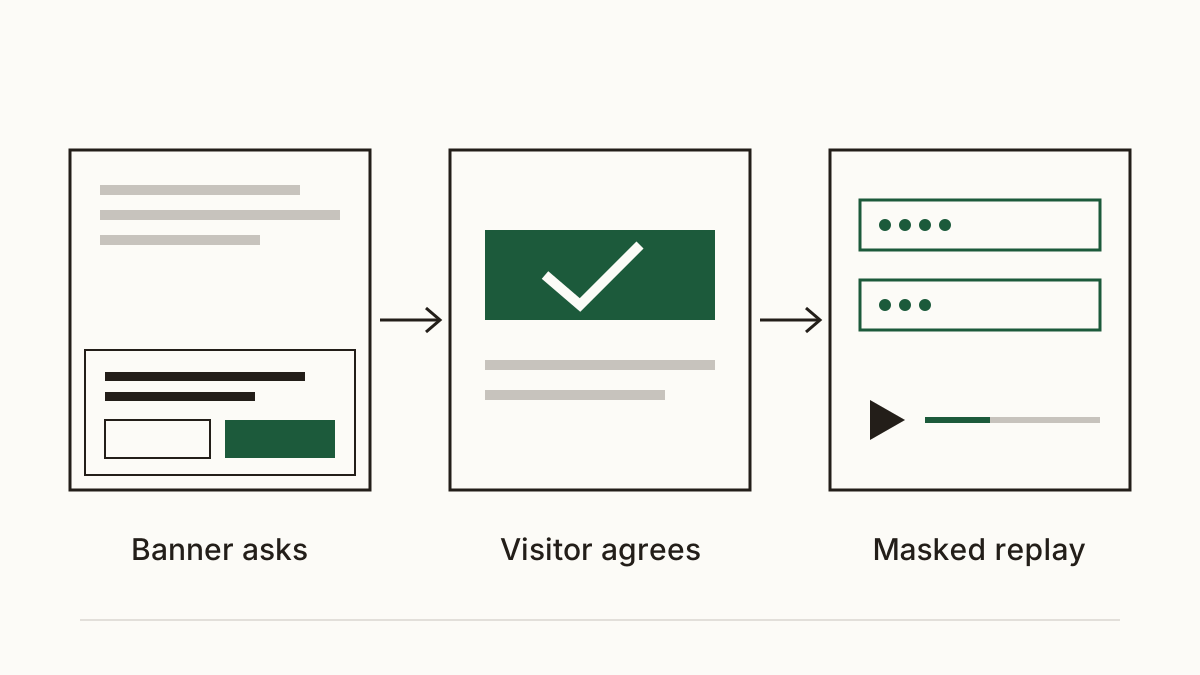
Every major replay tool has a setting to mask inputs, and most can exclude whole pages. Our rule: mask every form field on the site, and exclude any page that takes a payment or a booking entirely. Your developer can usually do both from the tool's settings, without touching the site's code. Then watch one test replay to confirm the fields show as blanks.
Ask for consent first
The script shouldn't load until a visitor says yes in your cookie banner, under a category that names it plainly. Your developer or agency sets this up in the consent tool or tag manager. Then add the tool to your privacy policy. Say what it records and why, and how long the replays are kept before they're deleted.
FAQ
Is a heatmap the same as session replay?
Not quite. A heatmap adds up clicks and scrolling from many visitors into one picture, while a replay shows a single person's visit from start to finish. Many tools do both from the same script, though, so switching off the replays doesn't always remove the recording underneath.
Can I keep the tool if I mask every field?
Often, yes, and masking is the first thing we'd do. You'll still need consent before it runs and a line in your privacy policy, because clicks and pages viewed can still be tied to a person. Masking cuts the risk; it doesn't remove the duty to ask.
Check your website with us at www.cents-security.com and see what each problem on it costs you a month.