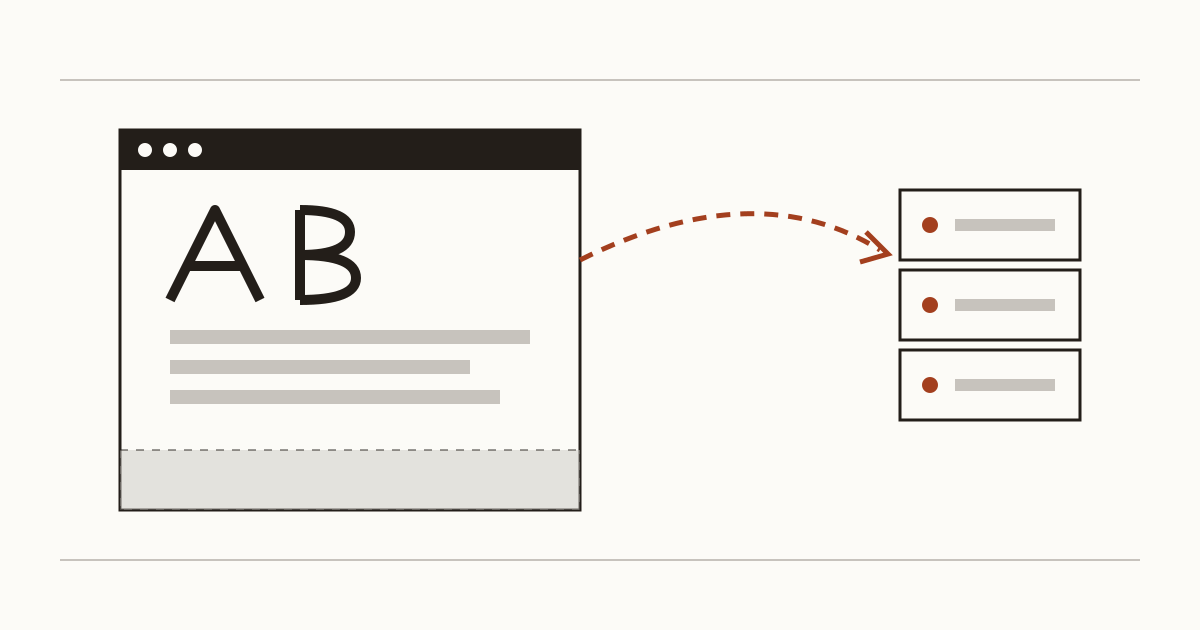
Your website may be telling Google about every visitor before they've clicked a thing, and the reason is a typeface. Plenty of small business sites pick a nice heading font in the theme settings and never look at it again. Fair enough, it looks harmless. But the way most themes load that font hands a small piece of data to Google on every page view, and in Europe that has already ended up in court. We're Cents Security, and this is one of the things we look for when we check a site from the outside.
What happens when a page loads Google Fonts
Picture someone opening your homepage on their phone at lunchtime. Before your menu or your prices appear, their browser reads a line in your page that points at fonts.googleapis.com and fetches a stylesheet from there. That stylesheet then sends the browser on to fonts.gstatic.com for the font files themselves. Both trips go from the visitor's device straight to Google's servers.
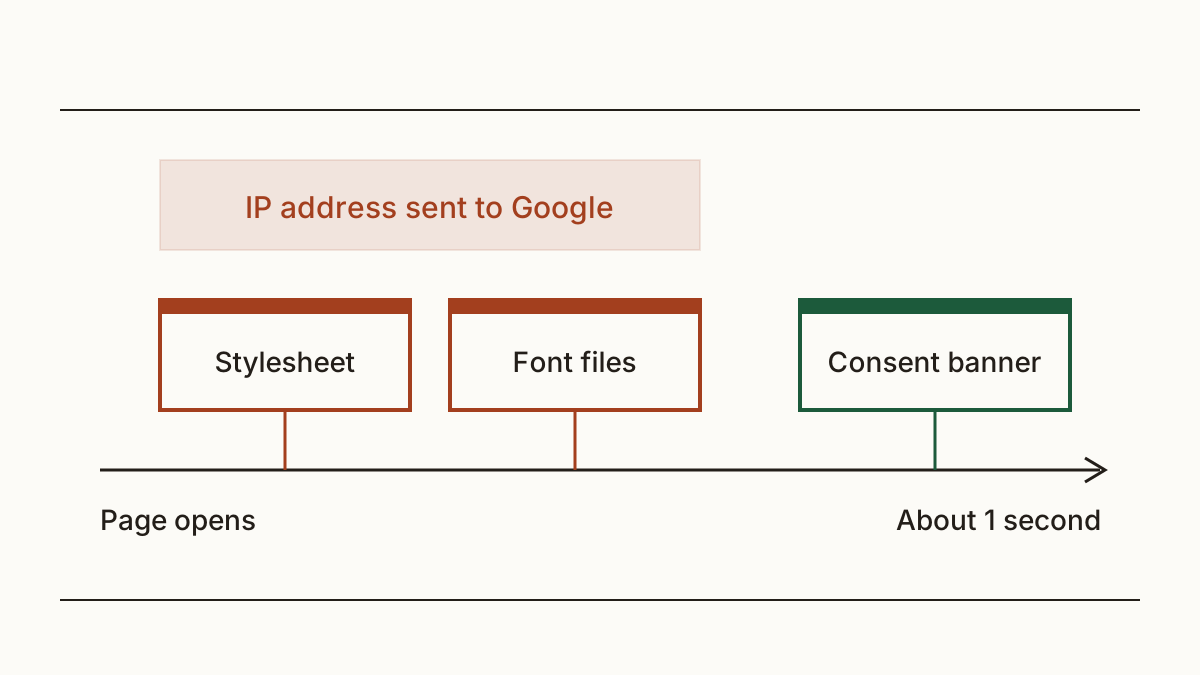
Every one of those requests carries the visitor's IP address. It has to, because that's how the internet knows where to send the answer. And it all happens in the first second, while your consent banner is still drawing itself on the screen. So the visitor hasn't agreed to anything yet, and you've already passed their address to another company.
Why an IP address counts as personal data
People often assume personal data means a name or an email. It's wider than that. Under UK GDPR, anything that can identify a living person, on its own or combined with other information, counts. The ICO's guidance names online identifiers, IP addresses among them, as personal data in many cases, and a home broadband address can often be traced back to a household.
We don't give legal advice, and the rules on sending data to the US have changed more than once in recent years. So check the current guidance on the ICO's website before you decide what this means for your business. Our view is a practical one: the fewer outside companies your page talks to without asking first, the less you'll ever have to explain.
What the courts have said so far
In January 2022 a regional court in Munich ordered a website owner to pay a visitor around 100 euros in damages. The site had sent that visitor's IP address to Google through Google Fonts without consent. The sum was small. What came next wasn't: over the following months, lawyers in Germany sent waves of warning letters to site owners asking for payment over the same thing.
That's Germany, though. We know of no UK case on Google Fonts that we can point to, and no ICO fine for it either. So for a UK business the realistic risk is a complaint from a visitor, or a question from the ICO about how your site handles personal data. Neither is a disaster. Both would take up an afternoon you'd rather spend on customers.
How to tell whether your site does it
Open your homepage on a laptop, right-click and choose View page source. Then search the page for fonts.googleapis.com, and after that for fonts.gstatic.com. If either one shows up, your site loads fonts from Google. Don't stop at the homepage: a page builder sometimes adds a font only on the contact page or the blog.
Here's the catch. The link often hides inside a stylesheet rather than in the page itself, so the page source looks clean while the call still happens. You can check whether your site loads fonts from Google with our scan instead. It reads the stylesheets for you and says which pages make the call.
The fix: host the fonts yourself
The cure is boring, which is good news. Your developer downloads the font files and uploads them to your own site. Then they point the stylesheet at those copies and delete the link to Google. The text on the page looks exactly the same, and the visitor's browser never contacts Google for it.
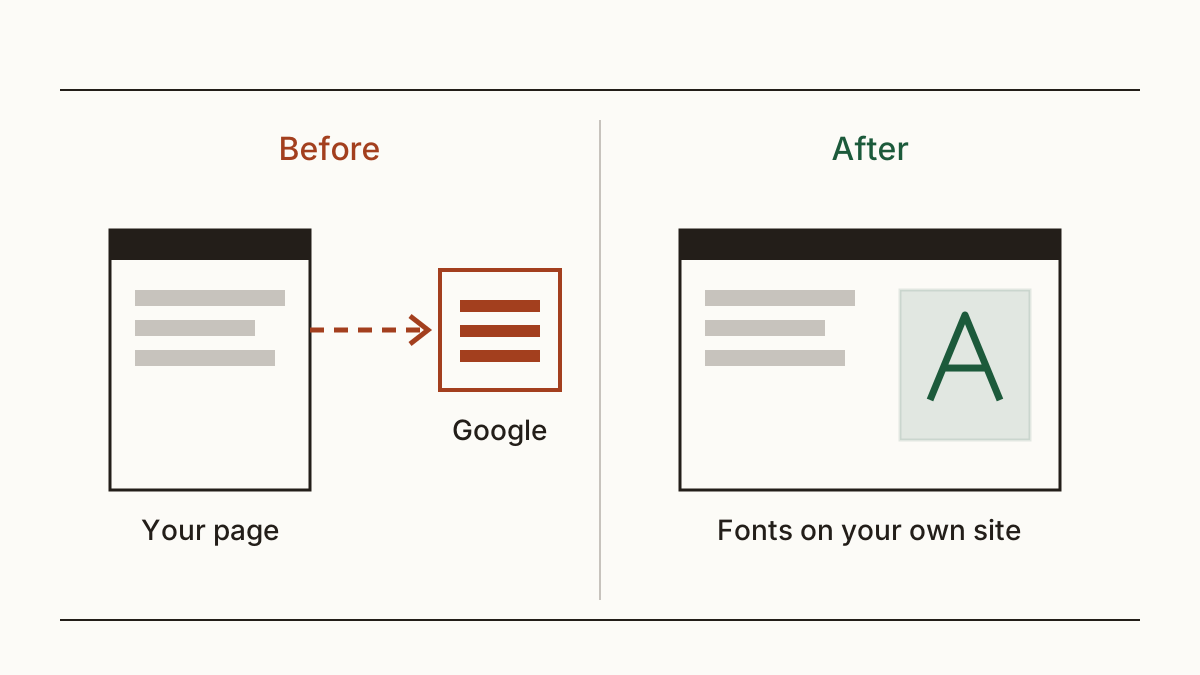
There's a bonus, too. One fewer outside connection means the page can open a touch faster, and page speed is something customers notice on a slow phone signal. On WordPress, many themes and page builders have a setting to load fonts locally, and a small plugin does the job where they don't. We'd still look at the page source afterwards, because a second plugin will sometimes put the Google link back.
Who does it, and what to send them
Whoever built or looks after your site. If that's a web designer or an agency, it's usually well under an hour of their time. If you built it yourself, the theme setting above is the place to start. Here's a message you can forward as it is:
"Hi, our site loads fonts from fonts.googleapis.com, which sends visitors' IP addresses to Google before they've agreed to anything. Could you move the fonts onto our own server and remove the Google link from the theme and any plugins? Please check the page source afterwards so we know nothing still calls Google. Thanks."
FAQ
Does Google keep the IP addresses?
It logs them, by its own account. Google's privacy FAQ for its fonts service says the requests set no cookies and aren't tied to a Google account, and that the logs are used to serve fonts efficiently. That's Google's description, not something we can check from outside, so read the current wording there.
Can I put Google Fonts behind the cookie banner instead?
You can, but we wouldn't. Visitors who say no would see your site in a fallback font, and the banner gets one more thing to manage. Keeping the font on your own server removes the question entirely. For the wider picture, here's what UK cookie law asks of a banner.
Is it only Google Fonts?
No. An embedded map or video does the same thing: the visitor's browser contacts another company the moment the page opens. Our privacy checks look for these too, and tell you which ones load before consent.
Check your website and see what each problem on it costs you at https://www.cents-security.com/.