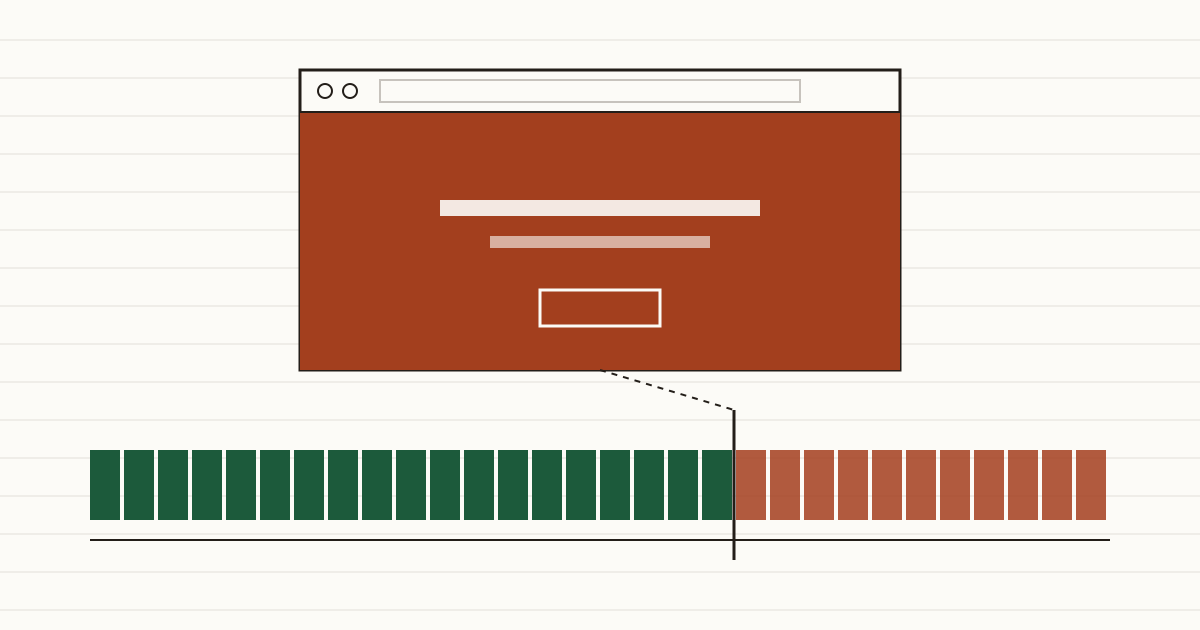
A regular customer types your address on a Friday evening to check the menu before booking a table. Instead of your homepage, the whole screen turns into a warning: "Your connection is not private." There's a button to go back and a small link tucked under "Advanced". They close the tab and book somewhere else. Nothing on your site changed. A date passed, and the job that was meant to handle that date didn't run.
What customers see on the day it expires
Some sites show a small grey note beside the address, and you can read about the Not secure label and what it costs elsewhere on our blog. An expired certificate is a different animal. Chrome replaces your page with a full-screen browser warning. Firefox says "Warning: Potential Security Risk Ahead", and Safari and Edge do much the same.
Almost nobody clicks past it. If your site has a setting called HSTS switched on, the browser won't even offer a way past. So the booking form, the shop checkout and the contact page all go dark together, from the first minute of the day the certificate expires until somebody renews it. For a restaurant that's a weekend of bookings. For an online shop it's every order in that window, and the customers who decide your shop looks dodgy and don't try again next week.
Why automatic renewal stops without anyone noticing
Most certificates now renew themselves every couple of months, so nobody thinks about them. That's the trouble. When we see a date close to running out, our first guess is that automatic renewal has broken, not that someone forgot to renew by hand.
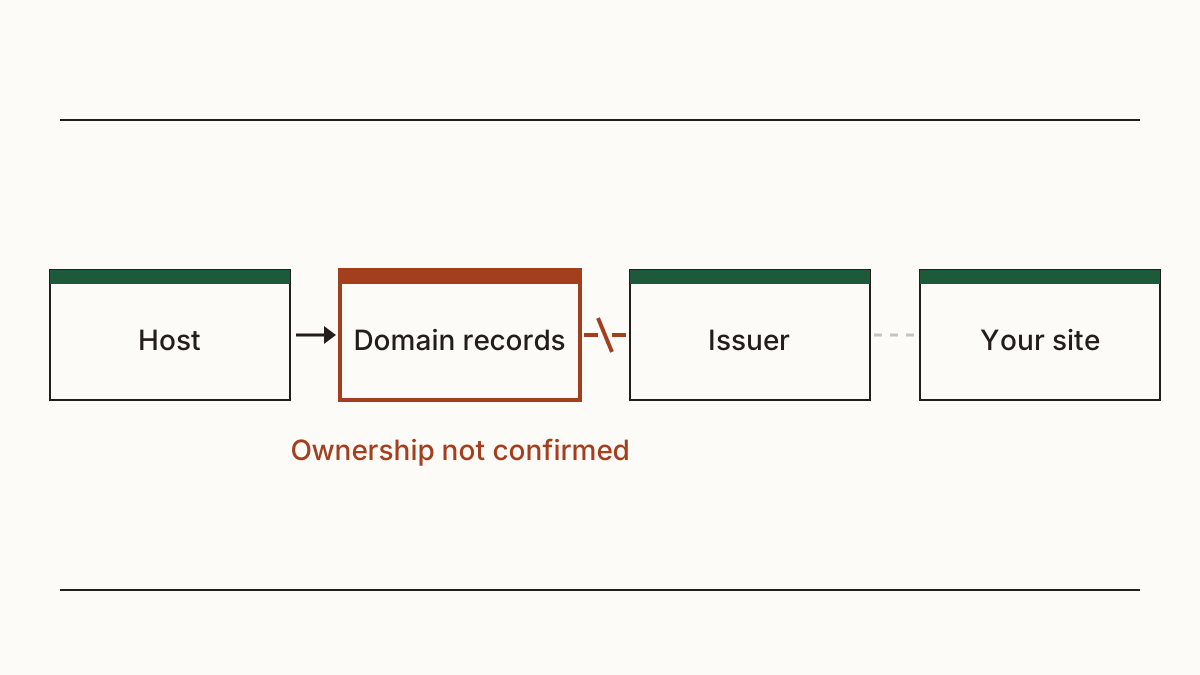
The causes are usually dull. The site moved to a new host, but the renewal job still lives on the old account. Someone changed the domain's records to set up email, and now the certificate authority can't confirm you own the name. Or the card on the hosting account expired, and the paid extra that handled certificates was switched off without much fuss.
Sometimes it's smaller still: a plugin or a control panel setting got turned off during an update. You won't get an alert you'd spot in any of these cases, because the thing that would have sent it is the thing that stopped working.
Certificates are getting shorter
In 2025 the CA/Browser Forum, the industry body that sets the rules for these certificates, voted to cut their maximum life in steps. It was 398 days. The cuts started in March 2026 and reach 47 days in March 2029.
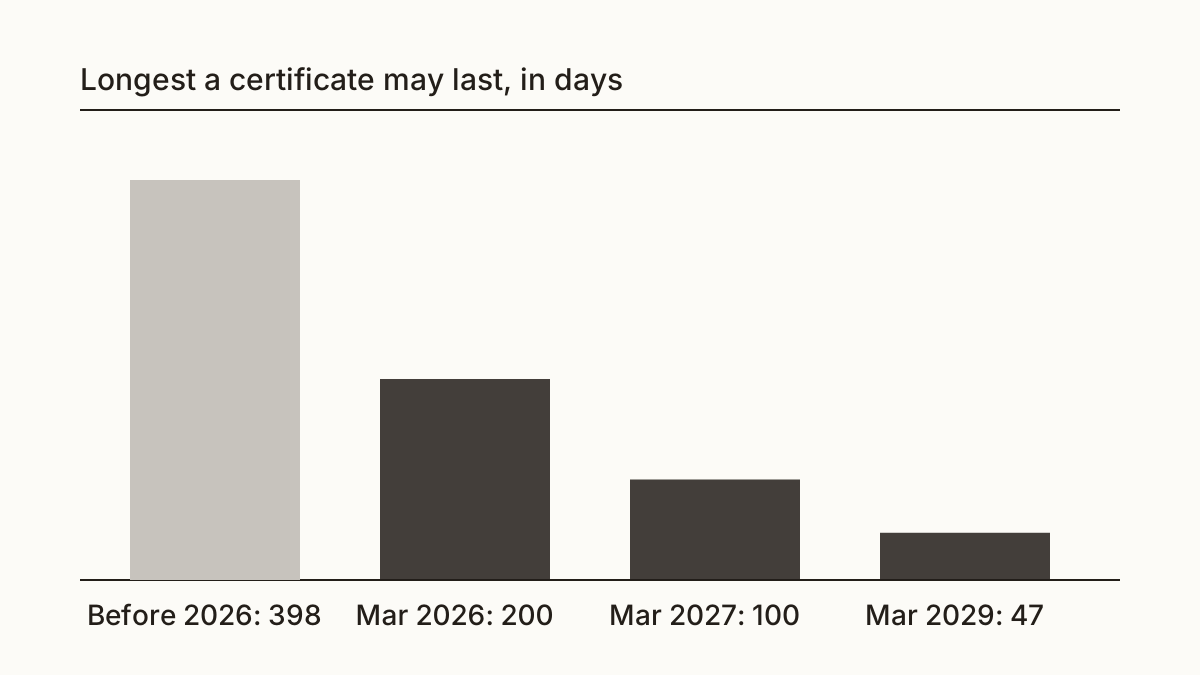
What does that mean for you? A certificate someone renews by hand once a year turns into a chore every month or so, and each chore is another chance to miss a date. Agencies looking after thirty client sites feel this first. We'd treat automatic renewal as part of having a website now, like paying for the domain.
How to see when yours expires
You can read the date yourself in under a minute. Open your site in Chrome or Edge and click the padlock, or the small settings icon to the left of the address. Then pick the line about the connection and the certificate. The "Valid to" or "Expires on" date is the one you want.
Or let us look. Paste your address and we'll check how many days your certificate has left. Cents Security flags it three weeks before the renewal date, marks it important in the last week, and urgent once it has lapsed. Three weeks gives a hosting company time to fix a broken renewal without anybody rushing on a Friday night.
Who fixes it, and what to send them
Usually your hosting company. If someone built the site for you and still looks after it, start with them. Here's a message you can forward as it is:
"Our website's SSL certificate runs out in the next few weeks. Could you renew it now, and confirm that renewal is set up to happen on its own from here, so nobody has to do it by hand next time? If it failed to renew, please tell us why."
That last sentence earns its place. A renewal done by hand fixes this month. Knowing why it failed fixes next month as well.
Reminders that don't depend on one inbox
For years Let's Encrypt, which issues a large share of the free certificates on small business sites, emailed owners when one was close to expiring. It stopped sending those emails in June 2025. Plenty of owners still expect one to arrive.
A reminder in your own calendar a month before the date costs nothing. Better still, check which email address the hosting account uses. We'd want it to be a shared one you control, not the inbox of a web designer who moved on years ago. And if you'd rather not think about dates at all, a daily check that watches yours does the remembering for you.
FAQ
Can customers still use my site with an expired certificate?
A few can, by clicking through the warning. In practice very few bother, and on sites with HSTS they can't.
Does an expired certificate hurt my place on Google?
In our experience a few hours rarely does lasting harm, though Google hasn't published a rule for it. The bigger loss is customers who hit the warning and don't come back. If it drags on for weeks, Google's own crawler meets the same broken connection, so we'd fix it the day you find out.
Do I have to pay for an SSL certificate?
No. Let's Encrypt issues them free, and most hosting plans include one. Paid certificates still exist, but on a small business site the free kind does the same job in the browser.
Check your website and see what each problem on it costs you at https://www.cents-security.com/.