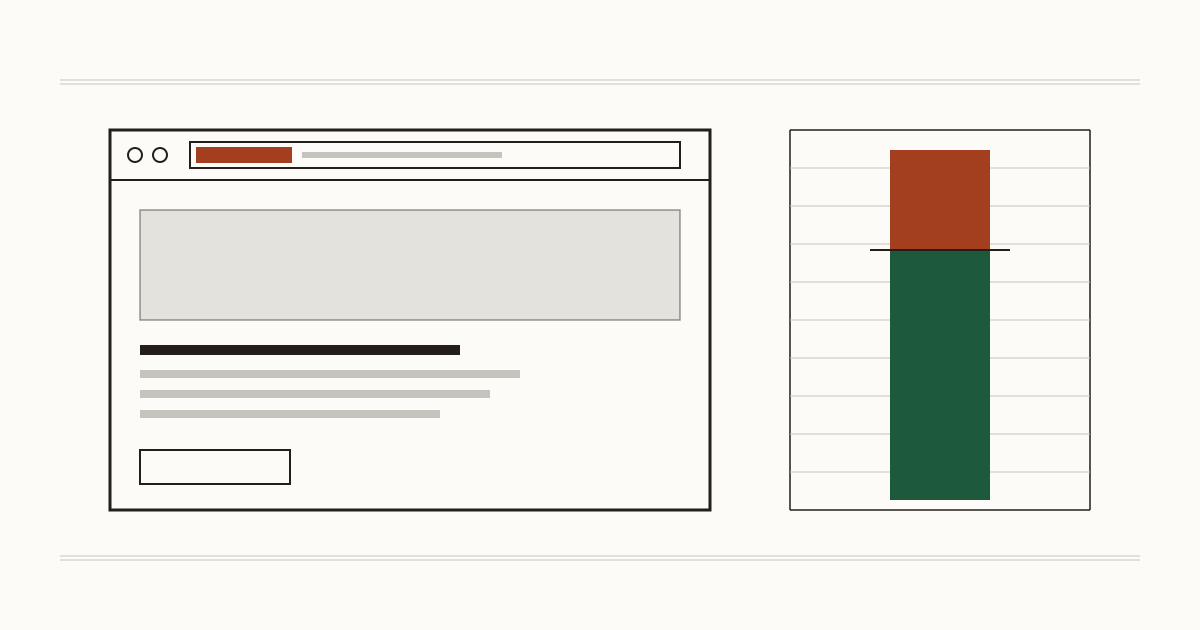
A customer types your address, and before your opening hours or your prices load, two grey words sit beside it in the address bar: Not secure. They haven't read a line you wrote, and they've already been told to be careful with you. The cause is nearly always one of four small faults, and each one has a person who fixes it. We're Cents Security: we check business websites from the outside and price what we find, and this is the fault we meet first on a lot of small sites.
Customers see Not secure before they read a word you wrote
Chrome's own help page puts it plainly. The site isn't using a private connection, so someone may be able to see or change what's sent between your visitor and you. It doesn't say you've been hacked. Your visitor can't tell the difference, though, and won't go looking.
What do they do next? Some carry on. Plenty press back and pick the next result, which is often the business down the road. The missing piece has a name, HTTPS, the connection behind the padlock. For you it means a stranger's first impression is a browser warning about your business.
Your contact form warns people off while they type
This one catches sites that look fine. Your page loads over HTTPS, but the contact form on it sends to a plain http address. Google's Chromium blog set out in August 2020 what Chrome does then: it turns off autofill, shows warning text as people start filling in the form, and puts up a full-page warning when they press send.
Picture a dental clinic, a solicitor or a plumber whose work arrives as enquiries through that form. The person writing to you is halfway through describing their problem when the browser tells them to stop. Many will. Your web developer changes one address in the form's settings, and it's usually a short job.
Chrome is starting to stop visitors before an http page opens
In its post HTTPS by default, on 28 October 2025, Google's Chrome Security team announced that Chrome 154, then due in October 2026, would turn on Always Use Secure Connections for everyone. People would be asked before their first visit to a public site without HTTPS. They can click through, but they have to choose to.
Chrome 147 was due to do the same in April 2026 for people on Enhanced Safe Browsing. That's Google's plan for Chrome, and we wouldn't assume other browsers have followed. Still, Chrome is what most of your customers open, so an http site now gets a stop sign instead of a small label.
Four faults that make browsers warn your visitors
Behind almost every warning we find one of these four. We list the checks we run on your certificate and connection in plain words, if you want the whole set.
Your site has no certificate, or the old http address still opens
Visitors see the Not secure label. Either there's no certificate at all, or there is one but the http version of your address still opens instead of sending people to https. The fix is a certificate plus a redirect from http to https. Your hosting company does both, and with many hosts it's a free setting.
The certificate ran out and nobody noticed
Most certificates renew themselves now, so a lapse usually means the automatic certificate renewal stopped, often after a plan change or a failed payment. From the day it expires, visitors get a full-page warning, which is worse than the label. Your hosting company restarts the renewal.
The certificate names a different address
A full-page warning again. The certificate covers yourbusiness.co.uk but not the www version, or a previous host left it behind. Your hosting company reissues it for the right names.
An old http address left inside your pages
We call this mixed content: an image, a script or a form on an https page that still points at an http address. Browsers block such a script and upgrade or drop such an image, so a booking widget or a photo can go missing without anyone noticing. A form that sends to http gets the warnings we described above. Your web developer changes those addresses to https.
What the Not secure warning costs you each month
Take an example with round figures. Say your site gets 2,000 visits a month, 2% of them become customers, and a customer is worth £150 to you. That's 40 customers and £6,000 a month through the site.
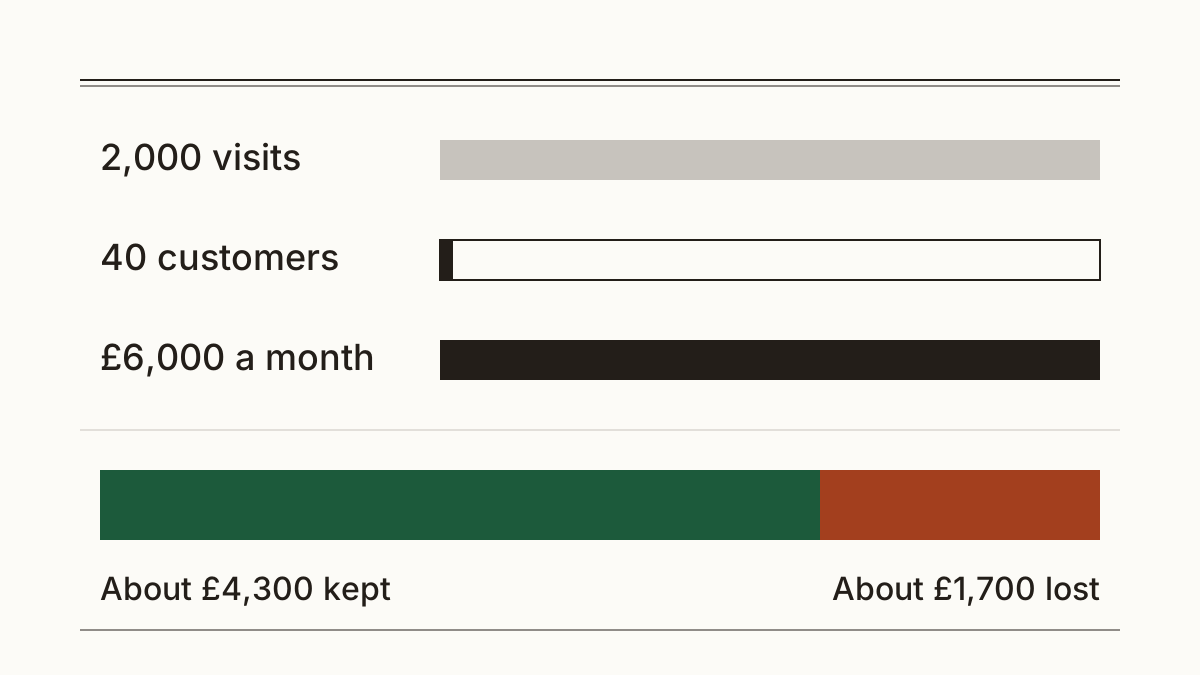
Our method page prices a site Chrome labels Not secure at 28% of what it brings in a month: our judgement that roughly 3 in 10 visitors leave at the warning. On the example, 28% of £6,000 is roughly £1,700 a month. With your own visits and customer value it could be well under £1,000 or several times more, which is why every figure we show has its inputs beside it. You can see how we work out each figure, with the reason beside each one.
On a small site, then, the Not secure warning is usually one of the dearer faults we find, and one that costs your host or developer under an hour.
Who fixes it, and what to send them
Your hosting company handles the SSL certificate and the redirect. Your web developer handles forms and mixed addresses. Built the site on a website builder? Look in its domain or SSL settings before you call anyone. Each of these fixes is minutes of work rather than days.
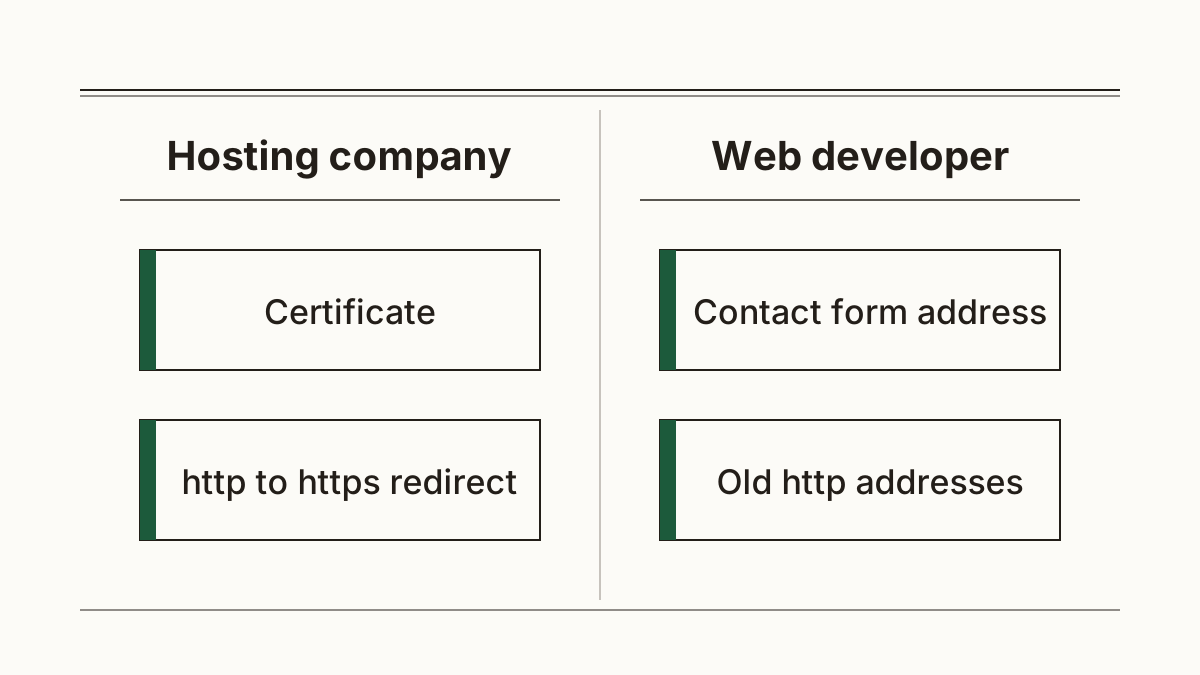
Here's a message you can forward as it is: "Our website shows Not secure in Chrome. Please make sure the certificate covers both the www and plain address, that http redirects to https, and that our contact form sends to an https address."
Then check it yourself. Open a private window, type your address starting with http://, and open your contact page. If you land on https and the label has gone, the Not secure warning is fixed. That tells you about the connection and nothing more. To see what else is costing you, scan your website with us.
FAQ
Does Not secure mean my website has been hacked?
No. The label is about the connection between your visitor and your site, and it says nothing about whether anyone got in. A hacked site can show a padlock, and a clean one can show Not secure.
Why does my site say Not secure when I have an SSL certificate?
Usually the http address still opens without sending people to https. Other causes we see are a certificate that has expired or names a different address, and a form that sends to http. Your hosting company can tell you which in one call.
Is a free SSL certificate enough to remove the warning?
Yes. The browser treats a free certificate from your host the same as a paid one. What matters is that it's current and covers every address your site uses.
Check your website with us and see what each problem costs you a month.