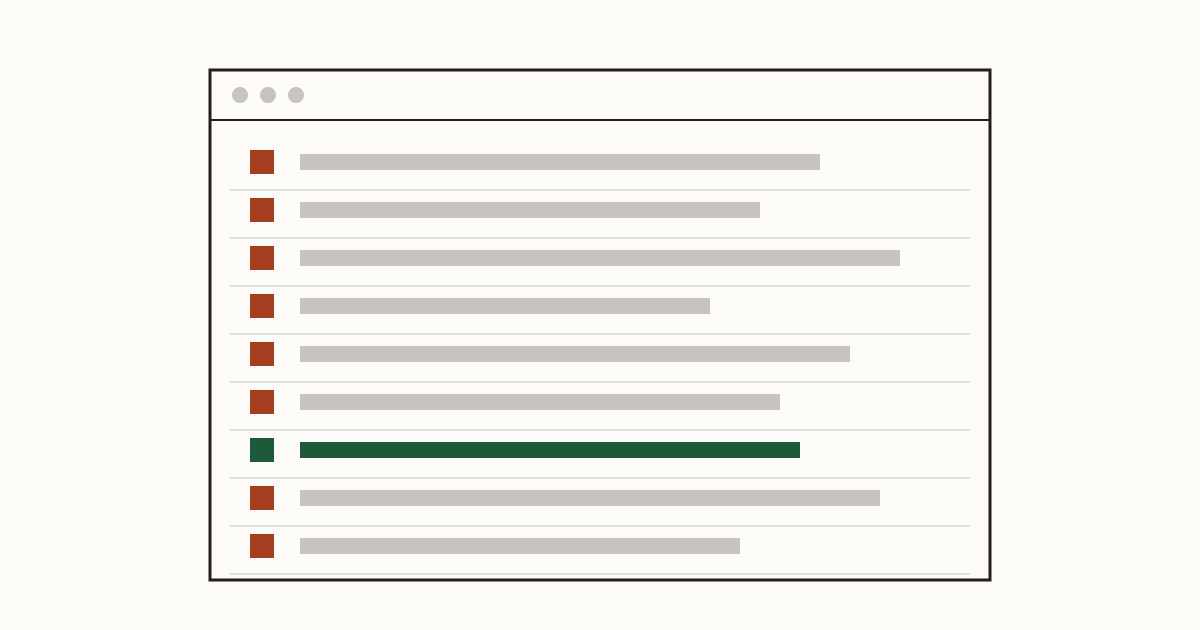
It's Monday morning and there are forty new messages from your website. Cheap backlinks, a loan offer, something in Cyrillic, the same SEO pitch three times. You scroll, sigh and delete in batches. Somewhere in the middle, sent on Friday afternoon, was a woman asking whether you could quote for a kitchen this month. By the time you find her, she's booked someone else.
At Cents Security we check business websites from the outside and price each problem in money lost a month. We find contact forms with no spam protection on a lot of small business sites, and we'd call it one of the cheaper problems to fix and one of the easiest to underrate.
Why bots fill in your form
Nobody sits there typing into your form. Bots do: small programs that crawl the web looking for anything with a text box and a submit button, then post their message to every one they find. They don't care what your business sells. Your form is on a list, and the list gets sold on.
A form with no protection at all is the easiest kind. It accepts any number of posts, from any address, as fast as they arrive, and nothing in it tells a person from a script. It's common on sites an owner built with a free form builder and never touched again. You can read every check we run on your forms to see what we look at from the outside.
What contact form spam costs you
Start with the smaller cost, which is time. Say you get thirty junk messages a week and each takes ten seconds to read and bin. That's five minutes, which sounds like nothing. But it's five minutes spread over a week of small interruptions, and it trains you to skim.
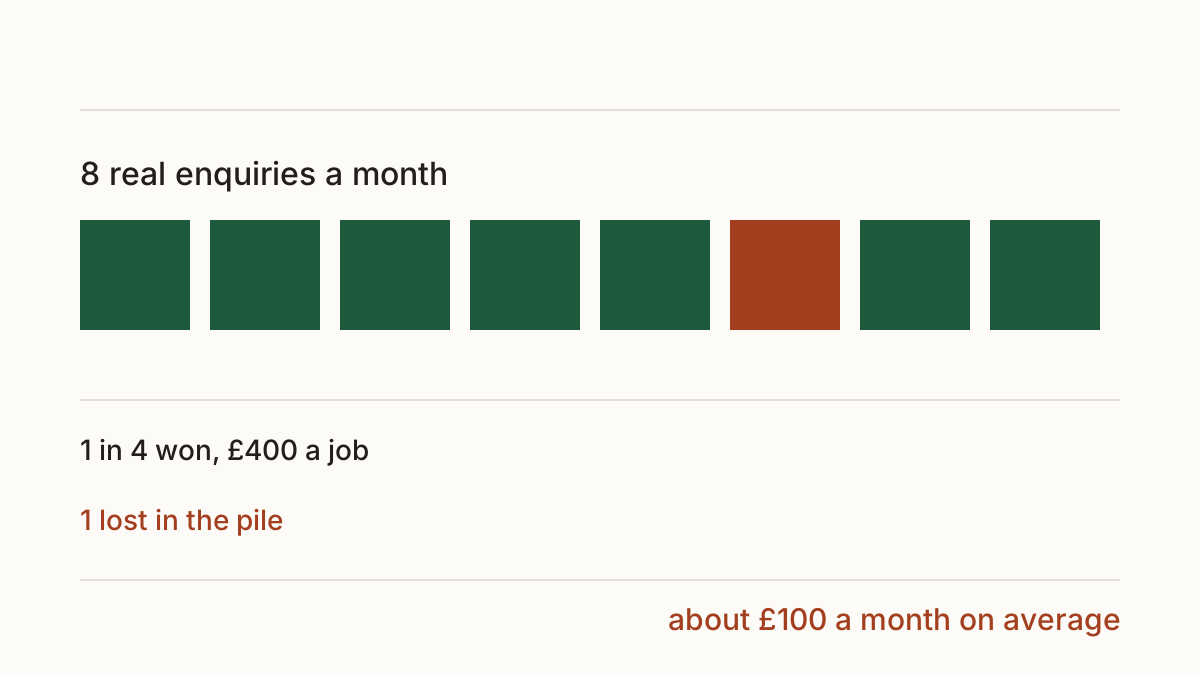
The bigger one is the enquiry you skim past. Here's a round example, not your numbers: a trades business gets eight real enquiries a month through its form, wins one in four, and an average job is worth £400. Lose one enquiry a month to the pile, or answer it two days late, and you're down roughly £100 a month on average, more in a month when the lost one was the big job. Response time matters here because people who fill in a form often fill in three.
Fixes that stop bots without stopping customers
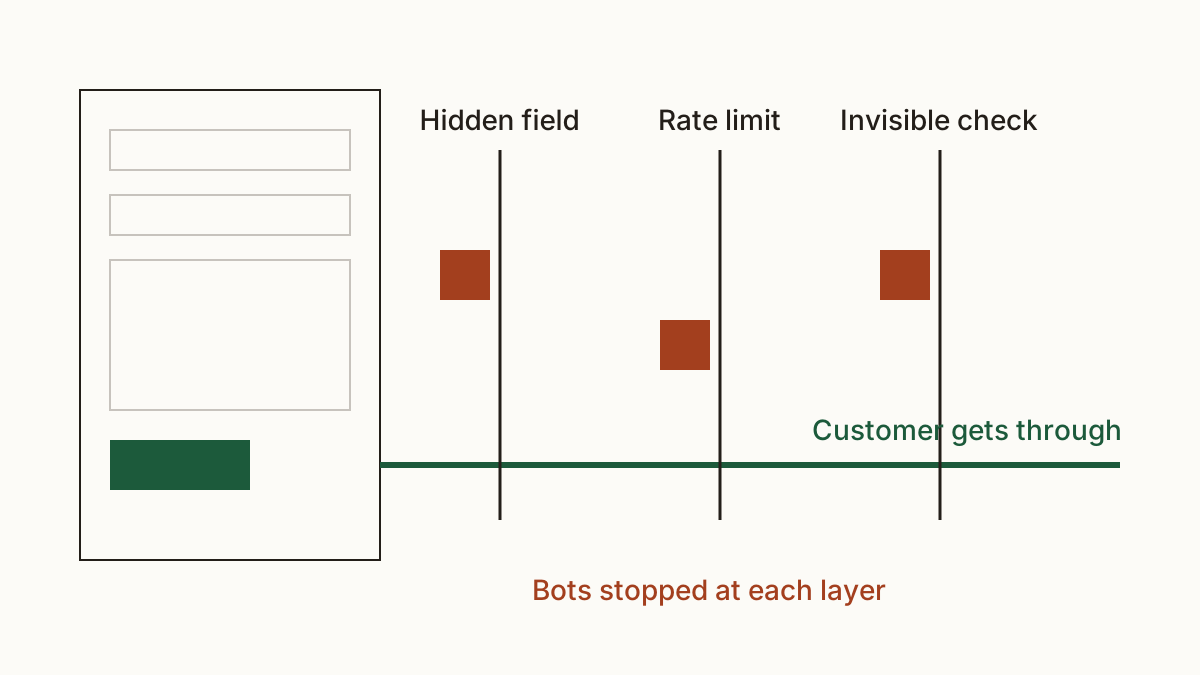
The aim is a form a person finishes in a minute and a bot can't use. There's no single switch, so we'd usually add protections in this order, cheapest first.
A hidden field only a bot fills in
This one's called a honeypot. The developer adds a hidden field to the form that people never see, so they leave it empty. Bots fill in every box they find, so a message with that field filled in gets thrown away. It costs your web developer minutes, it costs customers nothing, and on its own it stops a lot of the simpler bots.
Limits on how often one address can send
A person sends your form once, maybe twice. A bot sends it fifty times in an hour. A rate limit on the server caps how many messages one address can send in a set time, say three in ten minutes, and refuses the rest. Real visitors never notice it, and it's the fix we'd ask for alongside the honeypot.
A CAPTCHA, and what it costs real visitors
The picture puzzles do stop bots. They also put some customers off, and some can't solve them at all: people with poor eyesight, people on a phone with a cracked screen, people using a screen reader. That's an accessibility problem as well as a lost sale. If you need this layer, we'd pick the invisible kind that checks the visit in the background and only shows a challenge when something looks wrong.
What not to do
Don't take the form down. That swaps a spam problem for a no-enquiries problem, and plenty of visitors won't pick up the phone.
And don't put your bare email address on the page instead. Bots harvest addresses from pages the same way they find forms, so you'd get more junk, straight to your inbox, with none of the filtering a form can do.
Who fixes it and what to send them
Whoever built or looks after your site. If you used a form builder yourself, the honeypot and limits are often settings you can switch on in an afternoon. Otherwise, forward this to your web developer: "Our contact form is getting spam enquiries most days. Please add a honeypot field and a rate limit per address, and only add an invisible challenge if that isn't enough. Please test that a normal person can still send the form from a phone." Once it's done, check your website again with us and we'll show what's left and what it costs.
FAQ
Why am I getting spam enquiries in other languages?
Because the bots aren't choosing you. They post the same text to every form on their list, wherever it is, so the language says nothing about who your customers are. It's a sign the form is unprotected, not that someone targeted you.
Will spam protection stop real customers?
The hidden field and the rate limit won't. Visible puzzles can, which is why we put them last and prefer the invisible kind. Test the form from your own phone after any change.
Is a contact form spam problem a security problem?
Sometimes. Many forms send the visitor a copy of their message, and a bot can put someone else's address in the email box. Your server then sends their junk to strangers under your name, which can get your domain blocked by mail providers. Ask your developer to turn off copies to the sender or to strip links from them.
Check your website with us and see what each problem costs you a month.