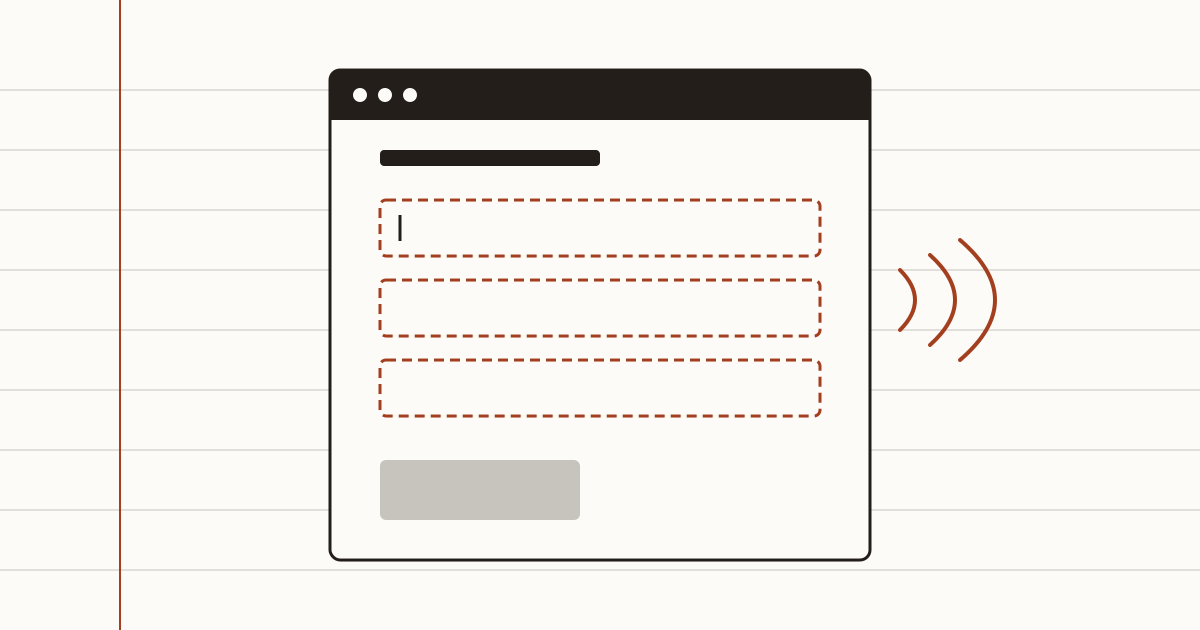
A customer who's blind opens your booking page on a Tuesday evening. Their screen reader announces "edit text, blank". Then it says it again. And a third time. They can't tell which box wants a name and which wants a phone number, so they close the tab and book with the clinic down the road. You never hear about it.
That's what poor website accessibility looks like from the owner's side: no complaint, no email, just a booking that went somewhere else. We're Cents Security. We check business websites from the outside and put a monthly price on each problem we find. The good news about accessibility problems is boring: most of them are cheap to fix.
Who your website shuts out
More people than you'd guess. Someone with low vision zooms in to read your prices. Someone with a tremor moves through the page with the keyboard, because a mouse is hard work. A customer with dyslexia leans on clear headings to find your opening hours without reading every line.
Then there's everyone else. Picture a plumber's customer reading your page on a small phone, standing outside in bright sun, where pale grey text on white turns into nothing. Poor contrast doesn't only hurt disabled visitors.
None of these people write to you. They leave. When a problem stops people using your page, like blocked zoom, we price it as customers lost. Missing image descriptions and unlabelled fields we price as legal risk, and for a UK business that comes to £0 a month, because the chance of a claim is small. You can read how we work out each figure with every input shown.
What UK law says, and what it doesn't
The Equality Act 2010 asks businesses that serve the public to make reasonable adjustments, so disabled people aren't put at a substantial disadvantage. A service you offer through a website is covered too. What counts as reasonable depends on things like the size of your business and what a fix would cost, and the Act doesn't contain a checklist for website accessibility.
We aren't lawyers, and this isn't legal advice. The Equality and Human Rights Commission publishes guidance on the duty, so check the current guidance, or ask a solicitor if you're worried about your own case. What we can say from our side of the screen: a small business that has fixed the obvious barriers turns away fewer customers than one that has never looked.
The problems that turn customers away
Three problems are worth looking for first. Each one is under an hour's work. Our free website check looks for the first two on your homepage, and the zoom check comes with the Business plan.
Pictures with no description
A screen reader reads out the alt text behind each image. Without it, a customer hears "image", or a file name like "IMG_4021.jpg". If your restaurant's menu is a photo of the printed card, that's the whole menu gone, and a short description can't bring it back: put the menu on the page as text. Whoever edits your site adds a short description in the image settings. In WordPress or Squarespace it's a field next to each picture, and you can often do it yourself.
Form fields with no label
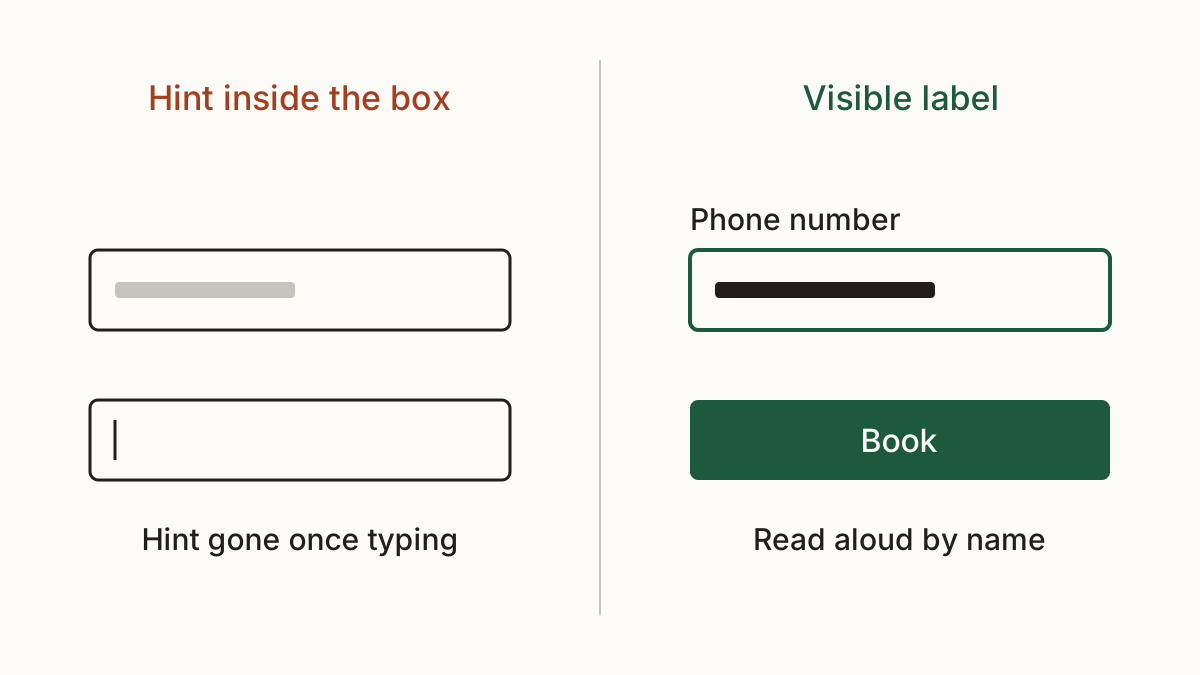
This is the booking form from the start. A grey hint inside the box vanishes the moment someone types, and not every screen reader reads it out. Each field needs a visible label tied to it in the code. It's about half an hour per form for your developer, and we'd fix it before anything else here, because the form is where the money comes in.
A page that won't let people zoom
Some themes ship with a line of code that stops phones from zooming in. It was meant to keep the layout tidy. On phones that obey it, a customer with low vision can't make your text big enough to read. Your developer removes "maximum-scale=1" or "user-scalable=no" from the page's viewport setting, and pinch to zoom works again.
Why an accessibility overlay is not the fix
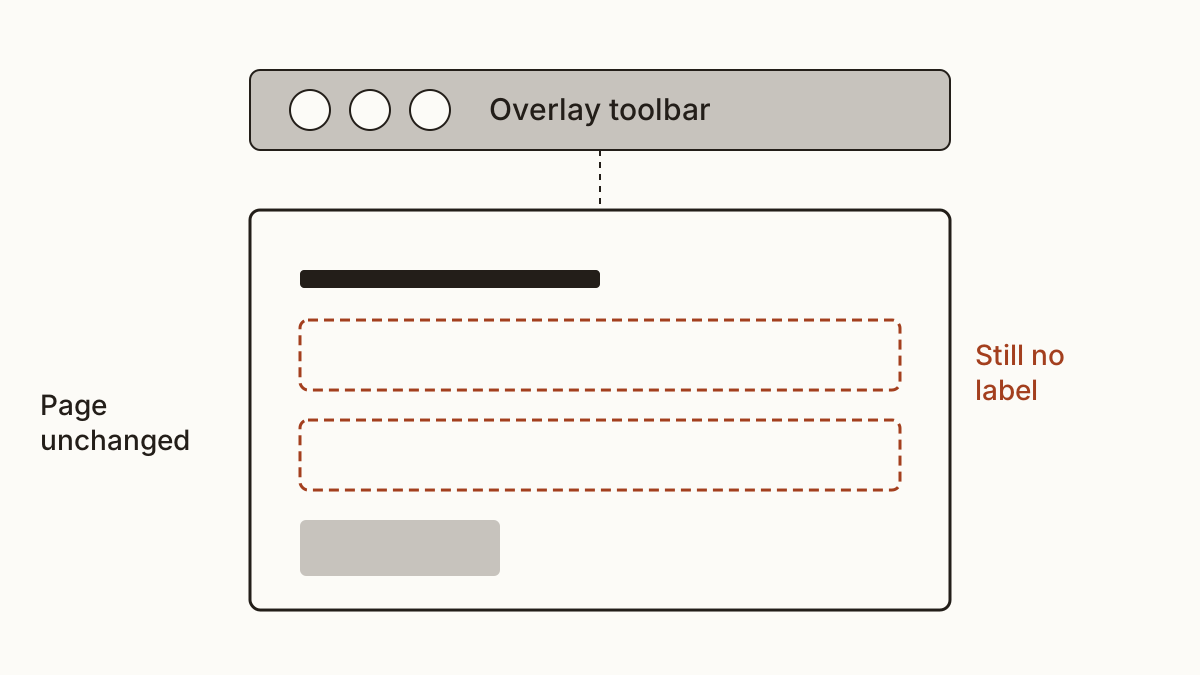
You'll see adverts for a widget that promises to make any site compliant with one line of code. An accessibility overlay adds a toolbar on top of your page, but the page underneath doesn't change: the unlabelled field is still unlabelled. In the US, about a quarter of the accessibility lawsuits filed in 2025 were against sites running one. A screen reader user already has their own settings, and a widget that changes the page under them can get in the way.
There's a worse angle. Disabled people's groups ask sites to take these widgets off, and the US Federal Trade Commission fined accessiBe a million dollars over what it claimed. We'd spend the same money on an afternoon of your developer's time on the page itself.
An accessibility statement, and who writes it
Public sector websites must publish an accessibility statement under the 2018 accessibility regulations. A private business isn't bound by those rules. If you sell to customers in the EU, the European Accessibility Act may apply to you since 28 June 2025, unless you have fewer than 10 staff and turnover of €2 million or less; a solicitor can tell you whether it does. Should you write one anyway? We think so. A short, honest page says what you've checked, what you know isn't right yet, and how a customer can reach you another way, by phone or by email. You can write it yourself in half an hour; it doesn't need a developer. For the shape, read our own accessibility statement.
FAQ
Can I be sued over website accessibility?
It's possible. Under the Equality Act 2010, a disabled customer who can't use your service may have a claim if you haven't made reasonable adjustments. We can't tell you how likely that is for your business: start with the Equality and Human Rights Commission's guidance, and a solicitor can advise on your own situation.
How long does it take to fix the common problems?
Usually a day or less on a small site. Missing alt text, unlabelled fields and blocked zoom are each an hour or two of a developer's time, often less. Colour contrast takes longer when it means changing your brand colours.
Check your website with us and see what each problem costs you a month.