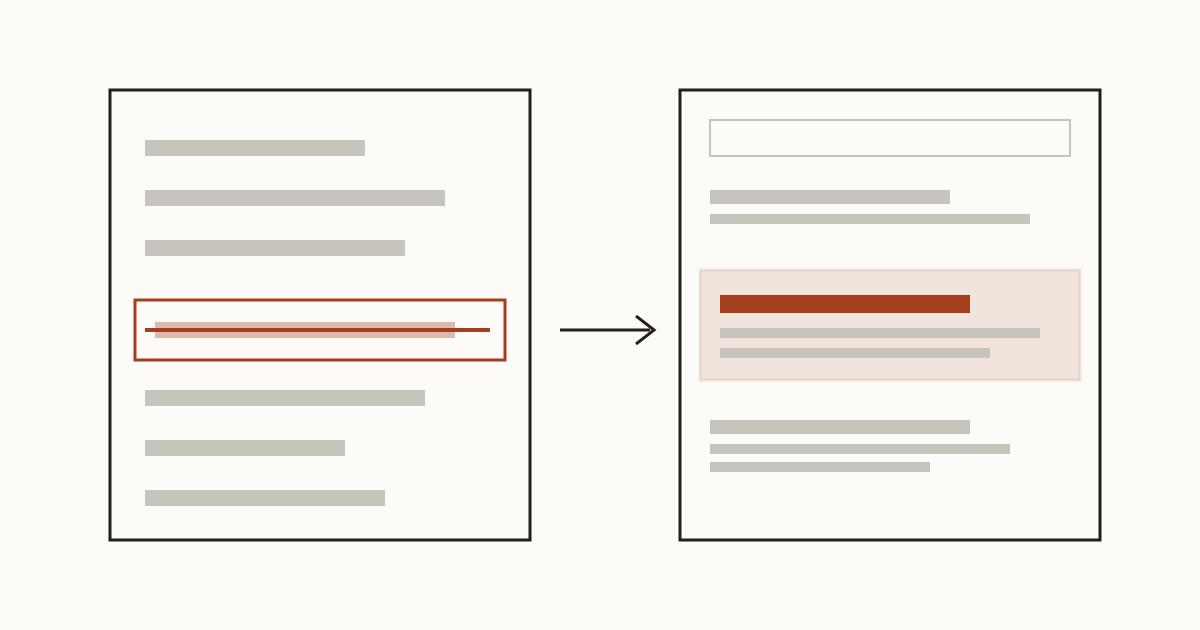
Picture a decorator who reprinted their prices last spring. The old price list was still on the website, so they read a forum post, added "Noindex: /old-prices" to the robots.txt file and forgot about it. Months later a customer rings up quoting last year's day rate, and there it is on Google, the old page, third result down. The line did nothing, and on Google it hasn't since 2019. Meanwhile the page they actually wanted people to find is sitting below the one they tried to bury.
Google stopped reading noindex in robots.txt in 2019
No, you can't. Google retired support for a robots.txt noindex rule on 1 September 2019, so the line sits in the file and every search engine walks past it. The robots.txt standard itself, RFC 9309, only has two rules that control crawling: allow and disallow. Anything else is a comment as far as Google is concerned.
We still find a robots.txt noindex line on small business sites, usually copied from a guide written before 2019 or left by a plugin nobody updates. It's harmless on its own. The trouble is that the owner thinks a page is hidden when it isn't, and stops looking for the real fix. If the page holds old prices, a closed offer or a former employee's phone number, that's a customer or a caller you're sending the wrong way.
Why a Disallow line can keep a page in search results
Most people's next move is a Disallow line. It feels like the same thing, and it isn't. Google's own documentation is plain about this: robots.txt tells a crawler which addresses it may fetch, not which pages it may list, and it's not a way to keep a page out of Google.
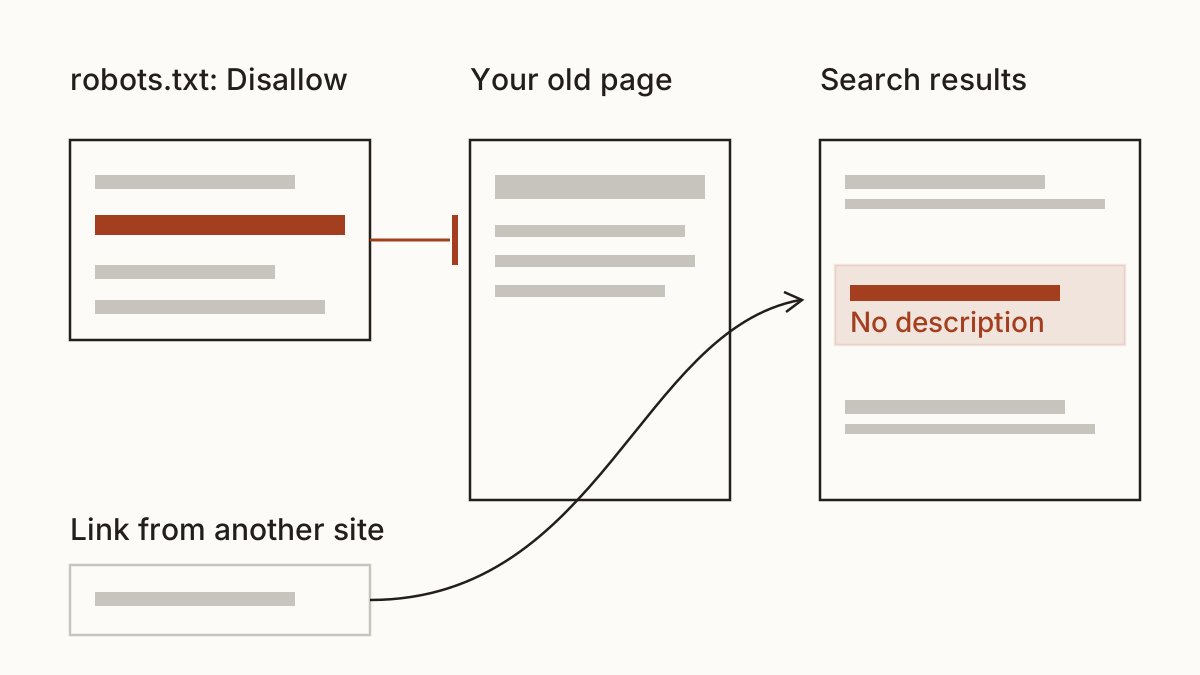
So a blocked page can still turn up in search results. If another site links to your old price list, Google knows the address exists and can list it with no description, because it was never allowed to read it.
And here's the trap we see most. Block a page in robots.txt and add a noindex meta tag to it, and Google never sees the tag, because it isn't allowed to fetch the page. Pick one. For hiding a page, the tag wins.
What takes a page out of Google instead
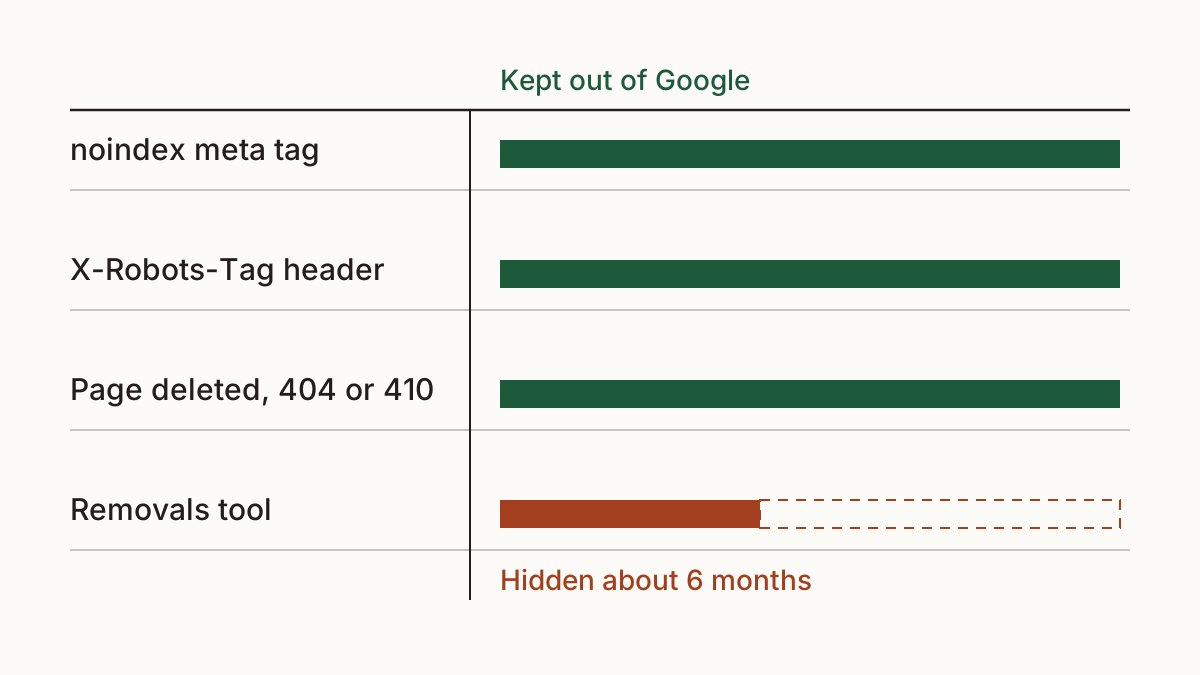
Four things work. Which one you want depends on what the page is and how fast it has to go. Our rule of thumb: a page you still need gets a tag, a page you don't need gets deleted.
A noindex meta tag in the page
One line in the head of the page tells Google not to list it. Most WordPress SEO plugins have a tickbox for it on each page, usually under the advanced settings, so you rarely need to touch the code. Google drops the page the next time it crawls it. Leave the page crawlable while you wait, or the tag never gets read.
The X-Robots-Tag header, for PDFs and other files
A PDF has no head to put a tag in. The X-Robots-Tag header does the same job from the server: it's an HTTP header sent along with the file. Your web developer or your host sets it, usually in a few minutes, and it can cover a whole folder of brochures at once. It's the one to ask for when an old menu or a price sheet in PDF keeps turning up.
Delete the page, or put it behind a password
If nobody needs the page, delete it. A page that answers 404 or 410 drops out of Google once its crawler comes back and sees the page is gone. We won't promise you a date for that. A password works too, since Google can't read what it can't log into.
Google's removal tool, for something urgent
Something on Google that shouldn't be, like a customer's details? Search Console's Removals tool hides a page from results for about six months, according to Google. That buys you time. The noindex or the deletion is what keeps it out for good, so do both.
The opposite problem: a noindex nobody meant to leave
The costly version runs the other way. A developer builds your new site with a noindex on every page so it doesn't show up half-finished, then launches it and forgets to take it off. Or a robots.txt rule that turns every crawler away gets copied from the test site to the live one. Either way, the whole site leaves search, and the phone goes quiet for reasons nobody can name.
We wrote up the wider picture of why a website goes missing from Google. Our check looks for exactly this: a noindex on your homepage, or a robots.txt rule that blocks search engines from the whole site.
How to check your own pages
Open the page in your browser, view the page source and search for "noindex". If it's there and you didn't put it there, that's your answer. For a fuller view, Search Console's URL Inspection tells you whether Google lists a page and, if not, why.
Or run the noindex checker on your own site. Cents Security reads your homepage and robots.txt the way a search engine reads them, and tells you what it found, what it's likely costing you and who fixes it. Usually that's your web developer, and it's minutes of work. Here's a message you can forward: "Our homepage is telling search engines not to list it. Can you remove the noindex and check robots.txt allows crawling?"
FAQ
Should I block a page in robots.txt and add noindex as well?
No. Google has to crawl the page to see the noindex, and a robots.txt block stops it crawling. Use the noindex meta tag on its own and leave the page crawlable.
How long does a page take to leave Google after a noindex?
It goes when Google next crawls the page. For a busy page that can be days, for a forgotten one much longer, and nobody can promise you a date. Asking for a recrawl in URL Inspection can help.
Can I hide a staging site with robots.txt?
Not reliably. A password keeps a staging site out of Google, while a robots.txt noindex or Disallow line doesn't. And a copied rule is exactly how a live site ends up blocked, so we'd always use the password.
If you're not sure what your own site tells search engines, check your website at https://www.cents-security.com/ and see what each problem costs you.