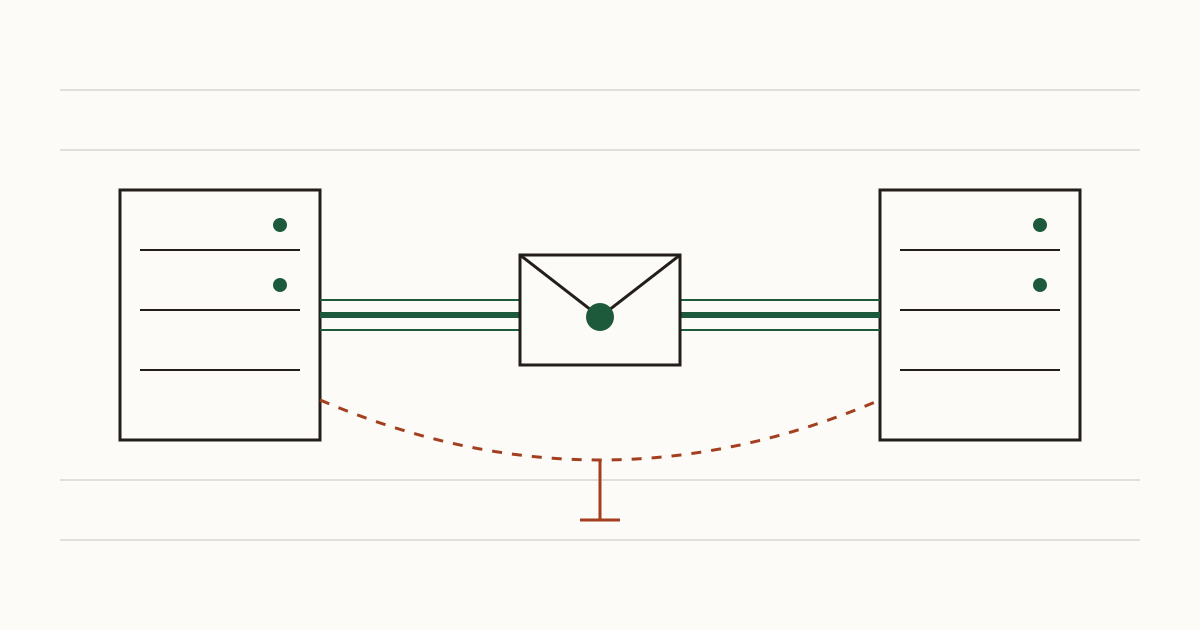
A client signs your contract, scans it and emails it back on a Friday afternoon. It arrives, you file it, and nobody thinks about the trip it took. But somewhere between their mail server and yours, the connection may have dropped its encryption and carried the signed pages across the internet in plain text. Neither of you would know. Two small DNS records close that gap, and at Cents Security we look for both whenever we check a business domain.
Mail to you is encrypted only when nothing goes wrong
When another company's mail server delivers a message to you, it first asks your mail server to switch on encryption. Most days that works. If the request fails, though, the sender doesn't give up and go home: it delivers the message anyway, with nothing protecting it.
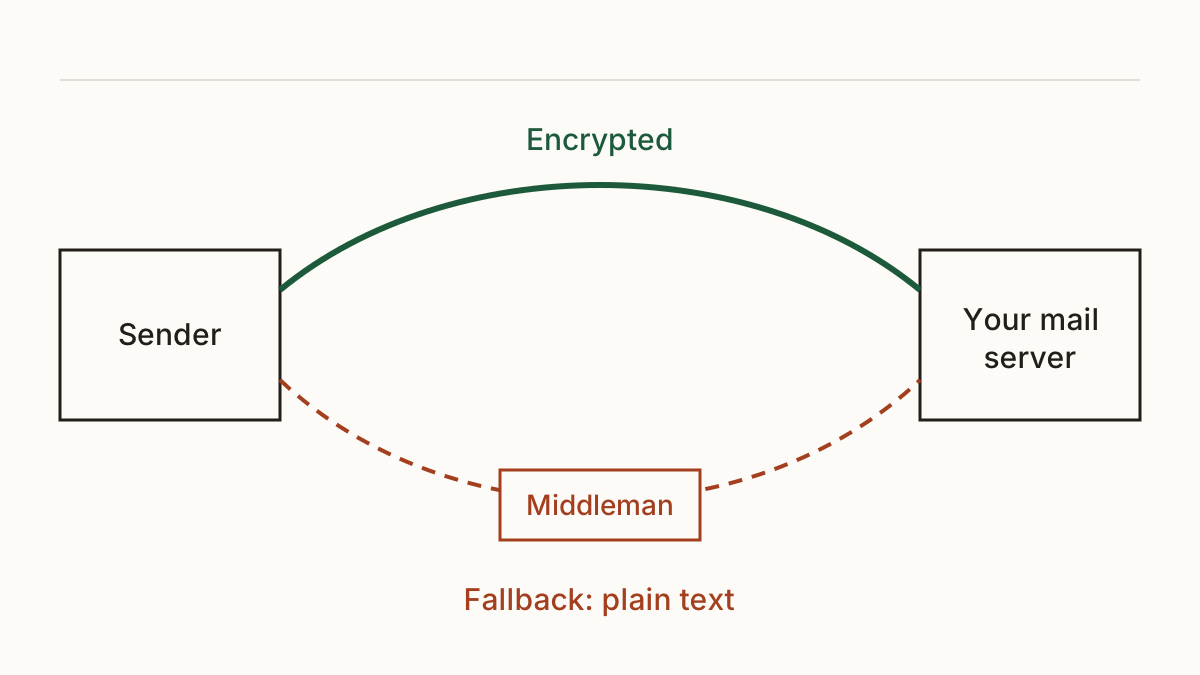
That fallback was designed so mail would never get stuck. The catch is that somebody able to sit on the network between the two servers can make the request fail on purpose and read whatever comes through. Pulling that off takes access most attackers don't have, so we'd call the risk low. Low, though, isn't the same as zero, and the mail that tempts them is usually the mail you care about most.
What MTA-STS does
MTA-STS takes the fallback away for mail addressed to you. You publish a DNS record saying you have a policy, plus a short policy file at mta-sts.yourdomain that names your mail servers. Sending servers that read it refuse an unencrypted connection to you. They'd rather hold the message and try again later than hand it over in the clear.
There are two limits we always mention. It covers inbound mail only, so nothing changes for the emails you send. And the NCSC notes that not every email provider supports it yet, which means some senders will ignore your policy and behave as before. It raises the bar for most of your mail rather than all of it.
What TLS reporting adds
TLS reporting is a second DNS record. It asks the large senders to email you a daily summary of the times they couldn't set up encryption with your server.
It works as the smoke alarm for the first record. Say your policy has a typo, or your provider renames a server and nobody updates the file. Senders start failing to deliver, and without reports you'd hear about it from a customer ringing to ask why you never answered the two emails they sent last week.
How this differs from SPF, DKIM and DMARC
SPF, DKIM and DMARC are the records that stop someone sending email as you, so your customers don't pay a fake invoice in your name. MTA-STS and TLS reporting protect mail on its way to you, so nobody in the middle can read it. You want both sets, and fixing one does nothing for the other.
Do you need them?
Honestly, it depends on what lands in your inbox. A café taking table bookings by email has little to lose here. A solicitor receiving signed contracts has more, and so does a clinic receiving referral letters, because that's the mail worth reading for someone who has gone to the trouble of getting in the middle.
Our checks price a missing policy low, and we won't put a pound figure on it that we can't source. We see it as a cheap fix rather than an urgent one. If your anti-spoofing records are already in good shape, this is a sensible next job for whoever looks after your email.
How to tell whether you have them
An MTA-STS checker looks up the _mta-sts record on your domain and then fetches the policy file to see what it says. You can check whether your domain has MTA-STS with our scan, which reads both from the outside, the way a sending server would.
You can also check whether you get TLS reports. That check stays quiet until MTA-STS is in place, since reports about a policy you don't have would tell you very little. You don't need to read the records yourself. The finding is written for whoever runs your email, whether that's your agency or the email provider's support desk, and it comes with the message to send them.
How to set them up without losing mail
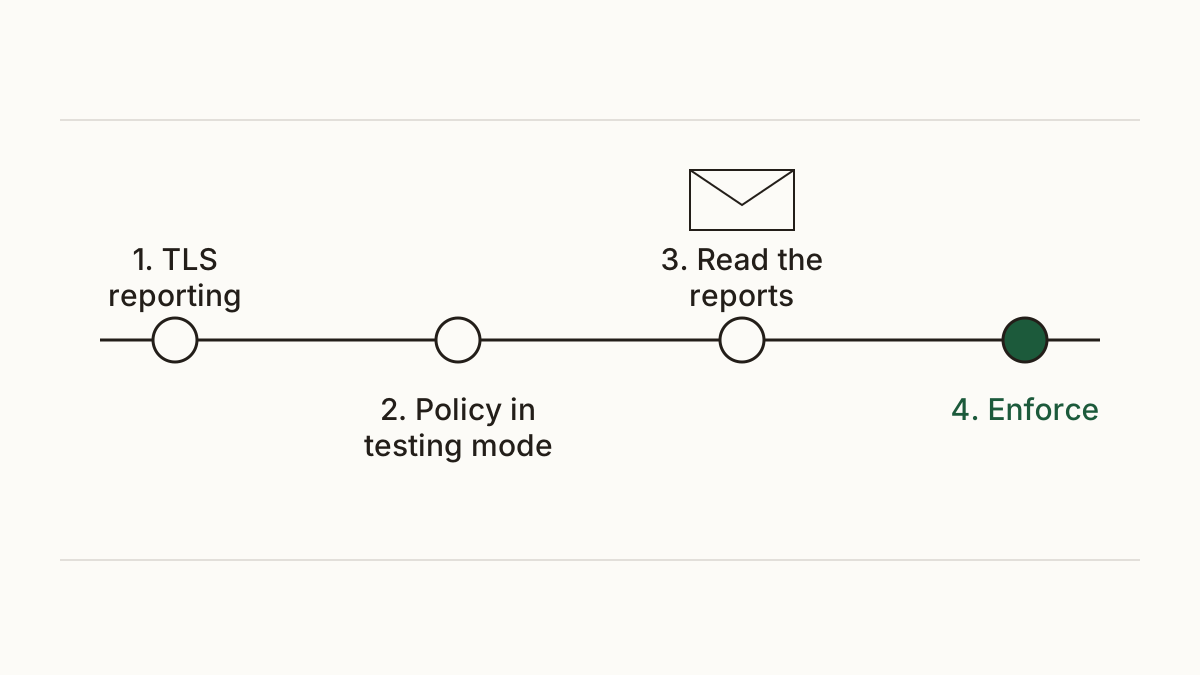
The NCSC gives an order that we follow too. Set up TLS reporting first. Then publish your policy in testing mode, where senders report failures but still deliver. Read the reports for a few weeks, and only then switch the policy to enforce.
Google Workspace and Microsoft 365 each document their own steps, and for an email provider or whoever manages your DNS this is usually an hour or two of work. Here's a message you can forward as it is:
"Please set up TLS reporting and an MTA-STS policy for our domain, following the NCSC guidance and starting in testing mode. Let me know before you move it to enforce."
FAQ
Will MTA-STS stop my own emails going out?
No. It only covers mail sent to you. Your outgoing mail leaves exactly as it does today, and whether it's encrypted on the way depends on the receiving domain's own policy.
What happens if I get the policy wrong?
In enforce mode, a server that can't meet your policy won't deliver the message, and the sender may get a bounce. That's why we'd always start in testing and watch the reports before tightening anything.
Do I need a website for MTA-STS?
You need somewhere to serve one small file over https at mta-sts.yourdomain, but it doesn't have to be your main website. Your developer or email provider can host it, and some providers offer it as a setting you switch on.
Check your website and see what each problem on it costs you at https://www.cents-security.com/.