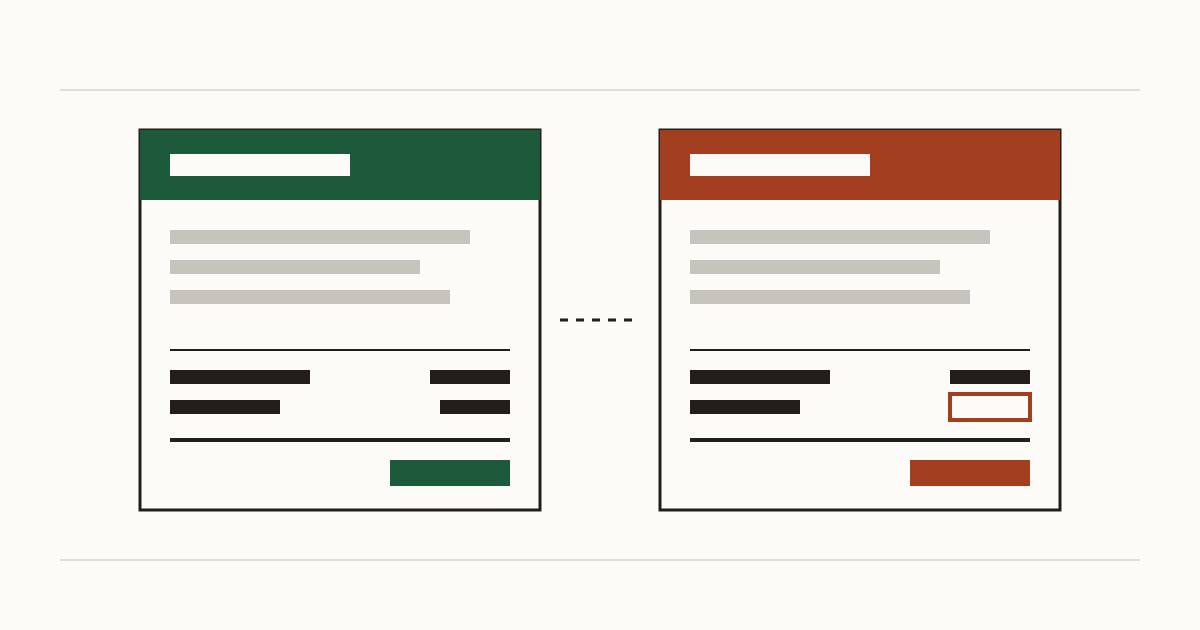
A regular customer pays your monthly invoice on time, as they always do. Except this one was a fake invoice: it came from your address and asked them to pay into a new account. You only hear about it when you chase the payment a few weeks later. Nobody stole your password to do this. The sender typed your address into the From line, and the customer's inbox had no reason to doubt it. Learning how to stop email spoofing comes down to three short records on your domain, and most small businesses we check are missing at least one.
A stranger can send an invoice from your address today
The NCSC calls this business payment fraud: an email that seems to come from someone you deal with asks for payment into a different account. It works because email was built on trust. Any mail server can claim to be you, the same way anyone can write your return address on an envelope.
What stops it is your domain telling inboxes, in public, to refuse mail that only claims to be yours. We check that from the outside, the way a customer's inbox would. So our first question is about your domain, not your mailbox, and on a lot of small business sites the domain has said nothing.
Inboxes believe the forgery unless three records say otherwise
A customer's inbox looks up three records before it decides what to do with a message that carries your name:
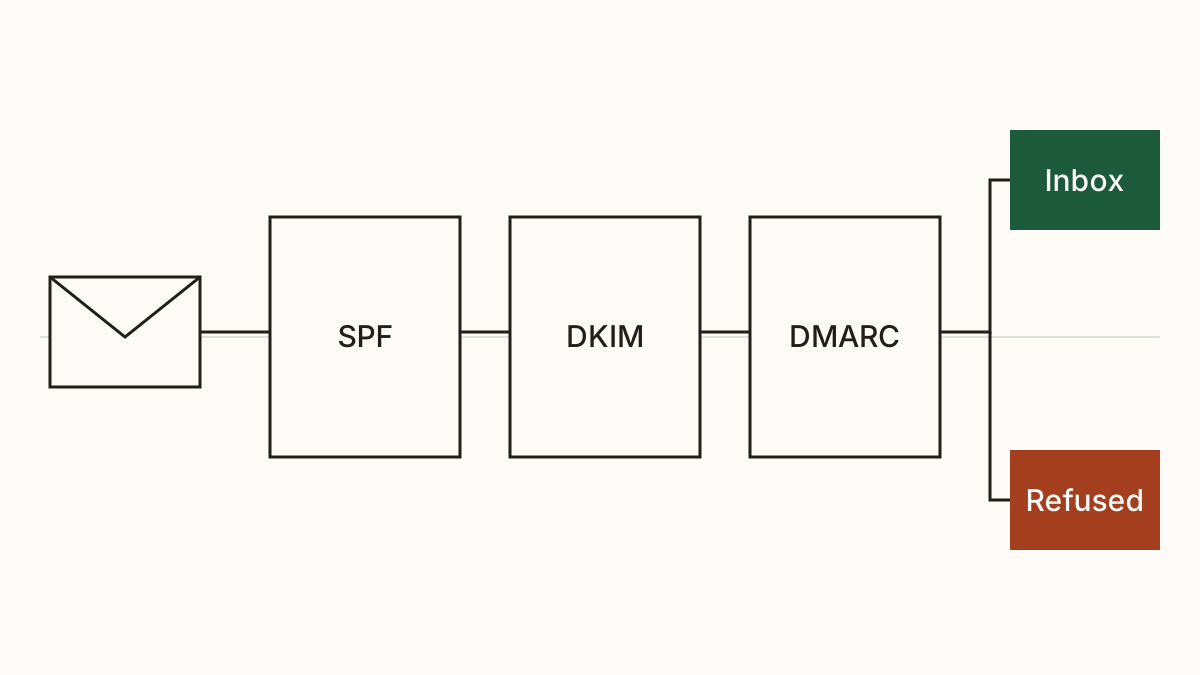
- The first lists the services allowed to send as you (the SPF record).
- The second puts a signature on the mail you really send (DKIM).
- The third tells inboxes what to do with mail that fails the other two (DMARC).
On their own, the first two don't tell an inbox what to do with a failure. Without the third, a receiving server can see that a message failed and still deliver it. Our scan runs every check on your domain and your email and says which of the three is missing or too weak to matter. The signing (DKIM) check comes with Business.
A DMARC record set to none watches the fake mail go through
This one catches people out. They have a DMARC record, so they assume they're covered. But if it says p=none, it only reports. The NCSC says plainly that a policy of none won't affect delivery, so the forged invoice lands exactly as before.
The other half-measure is pct. Set it below 100 and the full policy applies to only that share of mail, with a weaker one for the rest. At pct=25, three forgeries in four still get the gentler treatment.
We'd rarely call either a mistake. Usually it's a careful rollout that nobody finished, because the person who started it moved on. The fix is one word or one number.
How to set up DMARC without losing your own mail
The worry is fair: switch on reject too early and your own newsletters bounce. So the NCSC's order goes slowly, and we follow it.
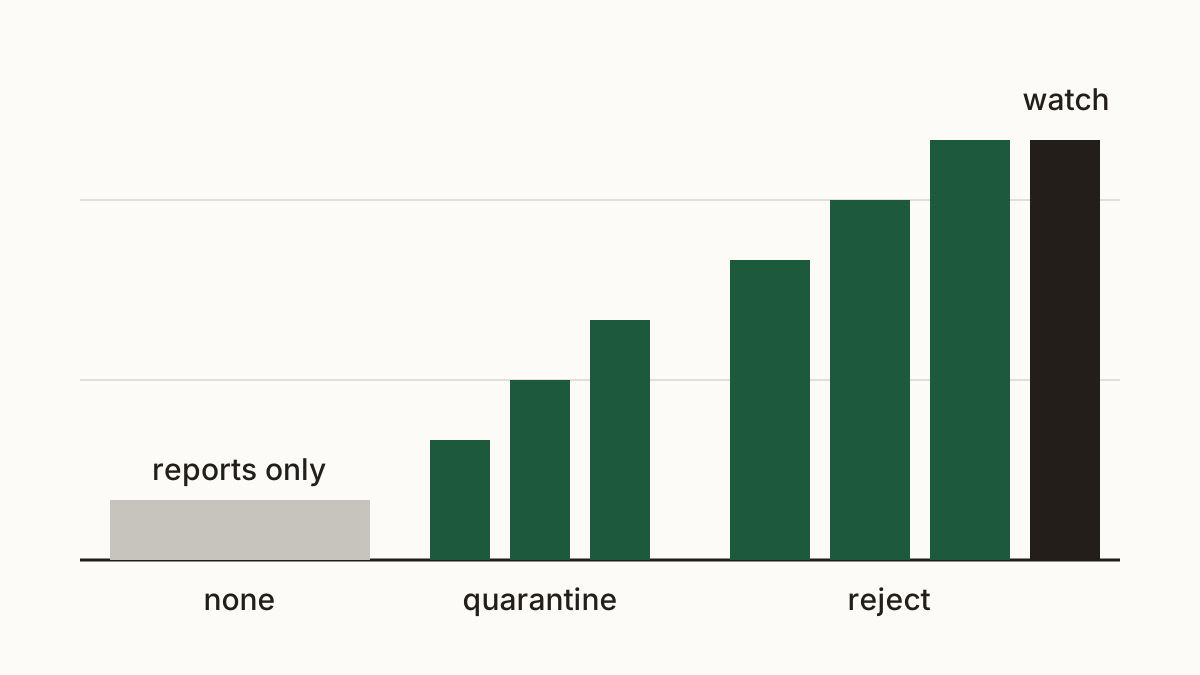
The steps:
- Publish p=none with a reporting address, so receiving servers send you DMARC reports.
- Read the reports to find everything that sends as you, such as a newsletter service or an invoicing tool.
- Add each of those to SPF and give each one DKIM signing.
- Move to quarantine, which sends failing mail to spam, raising pct step by step.
- Move to reject, again step by step, until pct is 100.
The NCSC calls reject on all your domains the best way to prevent spoofing. That includes the old domain you kept from a rebrand and never send from.
A misspelt copy of your domain gets past all three records
DMARC protects your exact domain and nothing else, so knowing how to stop email spoofing on your own name doesn't cover a near copy of it. A fraudster who registers a lookalike domain, with one letter swapped or an extra hyphen, can set up perfect records of their own. We look for misspellings of your domain that have email set up, but we can't take them down for you.
The defence here is a habit, not a record. Tell customers, on every invoice, that you'll never change your bank details by email. And when a supplier writes to say theirs have changed, confirm by phone on a number you already have, not the one in the email.
What a forged invoice could cost you a month
Here's how we arrive at a figure. We start from what a fraud like this typically costs when it happens and multiply by the chance of it in a year. Then we take this gap's share of that risk and spread the result over twelve months. That's why a rare, expensive event shows up as a small monthly number. It isn't small when it lands. You can read how we price fraud committed in your name, with the source for each input, on our method page. We won't quote a number here that we can't point to.
Who sets it up, and what to send them
Whoever manages your domain's DNS adds the records. That's often the domain registrar where you bought the name, or the agency that built the site. Your email provider gives the SPF and DKIM values to paste in. Each record is minutes of work. The waiting is the weeks of reading reports, and the NCSC advises at least two weeks of watching after you move to reject.
You can check your domain's email records first, then forward something like this: "Our domain has no DMARC policy that refuses forged mail. Could you publish p=none with a reporting address this week, and we'll plan the move to reject together once the reports are in?"
FAQ
Does spoofing mean my email account has been hacked?
Not necessarily. The sender forges the From line and never touches your account. Still, it's worth checking your recent sign-ins and turning on two-step sign-in, since a hacked account is a different and worse problem.
Will DMARC stop my own newsletters arriving?
It can, if you jump straight to reject. That's why any guide on how to set up DMARC starts at none and has you read the reports first: they show the newsletter tool before it's blocked, and you add it to SPF and DKIM.
How do I find out who is sending email as my domain?
Read the DMARC reports at your reporting address. They list every server sending as you, legitimate or not. The other way is slower: a customer forwards an odd email and asks if it was really you.
Check your website with us and see what each problem costs you a month.